
I still remember the Tuesday I missed a client deliverable because it was buried under seventeen other urgent sticky notes, three Slack pings, and a calendar that looked like a game of Tetris gone wrong. That was the day I finally stopped treating task management like a personal endurance sport and started letting software handle the friction.
Not just any software, though an AI task manager. If you’ve been hearing that phrase tossed around in productivity circles lately, you’re not alone. The hype is loud, but the reality is quieter, more practical, and honestly, a lot more useful once you strip away the marketing gloss.
How It Actually Works Under the Hood
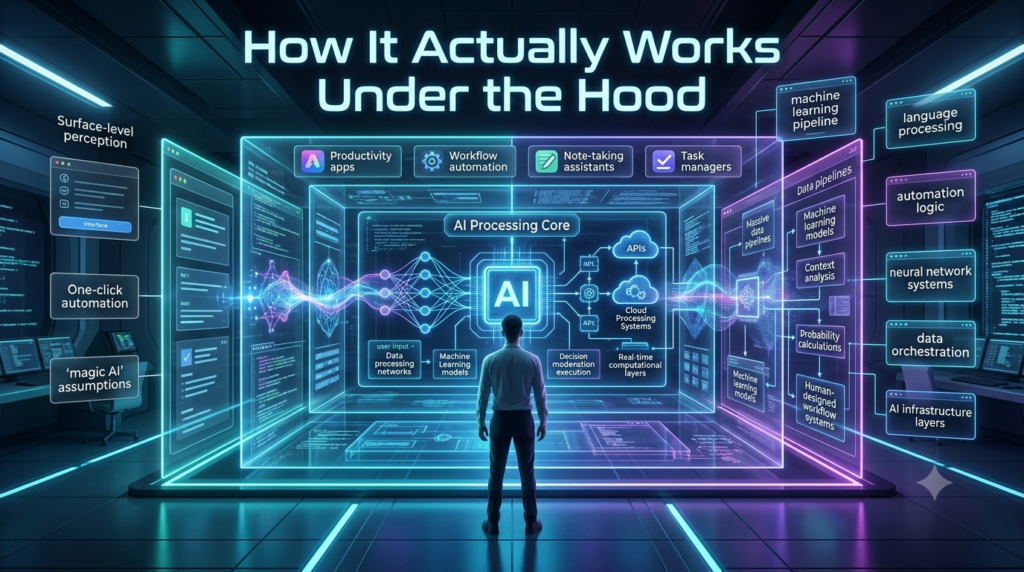
At its core, an AI task manager isn’t a magic wand. It’s a pattern-recognition engine wrapped around your to-do list. Instead of forcing you to manually tag, sort, and schedule every single item, it reads context. You type draft Q3 report by Friday, and it doesn’t just park it in a list. It checks your calendar, learns when you actually do focused work, blocks out ninety minutes on Thursday morning, and nudges you Wednesday afternoon to gather the raw data first.
Behind the scenes, natural language processing parses your phrasing, while machine learning tracks your habits: how long similar tasks take, which projects consistently run over, and whether you’re a morning person or a night owl. Over a few weeks, the system stops guessing and starts anticipating. It’s less about artificial intelligence and more about applied behavioral data.
Where It Actually Shines
I saw this play out recently with a small marketing team I advised. They were drowning in campaign checklists, client revisions, and last-minute content requests. We plugged their workflow into an AI-powered task management setup, and the shift wasn’t dramatic overnight. It was subtle, then compounding. The software started auto-prioritizing based on deadlines, dependency chains, and even email urgency cues. When a client replied with “This needs to go live ASAP,” the AI flagged it, moved related design tasks up the queue, and quietly rescheduled lower-stakes internal work.
Decision fatigue dropped. Fewer things slipped through the cracks. More importantly, the team stopped spending twenty minutes every morning just figuring out what to tackle first. That’s the real win: an AI task manager doesn’t do the work for you. It clears the mental runway so you can actually take off.
The Limits You Won’t See in the Demo
But let’s be clear about what it won’t do. AI struggles with nuance. It can’t read office politics, understand that a quick sync with your manager usually derails your entire afternoon, or know that you’re avoiding a task because you’re waiting on a vendor who’s notoriously slow. Over-reliance is a real trap. I’ve watched people blindly follow AI-suggested schedules until they burned out, treating algorithmic recommendations like gospel.
Then there’s the data question. These tools ingest your calendar, emails, messages, and sometimes even location patterns to function well. That’s convenient, but it demands scrutiny. Where is that information stored? Who trains on it? Can you opt out of model training? If a vendor’s privacy policy reads like a legal maze, walk away. Productivity shouldn’t cost you your digital sovereignty.
How to Pick One and Use It Without Losing Your Mind
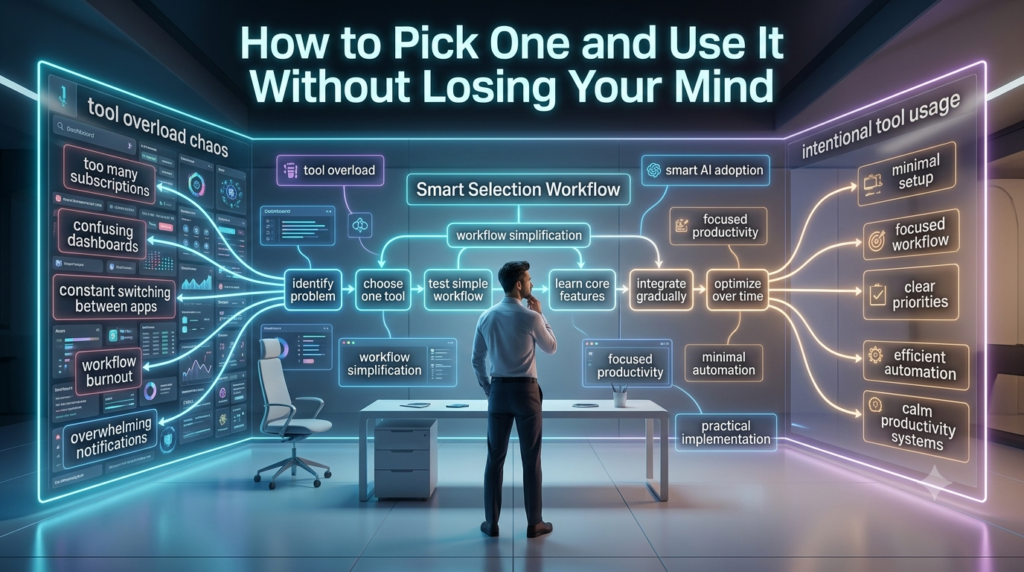
If you’re testing the waters, start small. Don’t migrate your entire operation on day one. Pick a single project or personal workflow and run it through an AI task manager for two weeks. Look for tools that integrate cleanly with what you already use Google Calendar, Outlook, Slack, or your existing project board. Forced platform switches kill adoption faster than bad features. Pay attention to how much control you retain.
The best systems let you override suggestions, adjust priority weights, and set hard boundaries like “no meetings after 4 p.m.” or “protect Tuesdays for deep work.” And please, turn off the nonstop notifications. An AI that pings you every time it reshuffles your list isn’t helping; it’s just adding noise. Treat it like a junior assistant: useful, eager, but still requiring your judgment.
The Bottom Line
AI task managers won’t replace discipline, but they will multiply it. They’re at their best when they handle the administrative friction the scheduling, the sorting, the reminder fatigue so you can focus on the work that actually moves the needle. The landscape is evolving fast, and the tools that survive will be the ones that respect human rhythm instead of trying to optimize it into a spreadsheet. Start small, stay skeptical, and let the software earn its place in your workflow. You’ll know it’s working when you stop thinking about your to-do list and just start doing.
FAQs
Q: What exactly does an AI task manager do?
A: It automates scheduling, prioritization, and reminders by learning your work habits, parsing natural language, and syncing with your calendar and communication apps.
Q: Can an AI task manager replace traditional project management software?
A: Not completely. It excels at personal and small-team workflow optimization, but complex initiatives still need human oversight, structured frameworks, and collaborative tracking.
Q: Is my data safe with AI productivity tools?
A: It varies by provider. Prioritize tools with transparent data policies, encryption, and clear opt-outs for AI training. Never assume convenience equals security.
Q: How long does it take for the AI to “learn” my workflow?
A: Typically one to three weeks of consistent use. The more accurately you log tasks and correct its suggestions, the faster it adapts to your rhythm.
Q: Do AI task managers work for creative or non-linear work?
A: Yes, but with boundaries. They handle deadlines and dependencies well, but creative iteration, research rabbit holes, and open-ended brainstorming still require human pacing and judgment.