
I’ve spent the better part of a decade working with small businesses, startups, and solo entrepreneurs on branding projects everything from scrappy side hustles to more established companies trying to look like they belong in a crowded market. Over the last few years, one request keeps popping up in my inbox: “Can you just help me make a logo quickly with an ai logo maker?” It’s a fair question. Budgets are tight, timelines are tighter, and nobody wants to spend weeks (and thousands of dollars) on a brand identity when they’re still figuring out their product, pricing, or even their target customer.
But as someone who’s been in the trenches sketching concepts on paper, revising files at 11 p.m., and sitting in client meetings where a logo choice sparks way more emotion than anyone expects I’ve learned that an ai logo maker can be a useful tool, or a costly shortcut, depending on how you use it.
What an ai logo maker actually is (and what it isn’t)
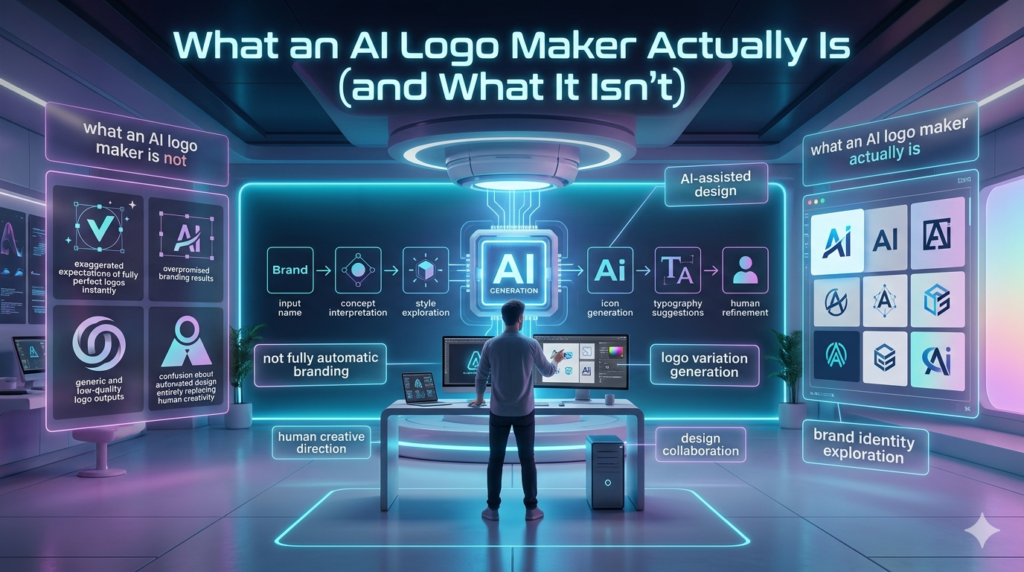
At its core, an ai logo maker is an online platform that generates logo options based on your inputs: business name, industry, style preferences, color choices, and sometimes a few keywords like modern, playful, or minimal. Within seconds, you get a set of designs to pick from, tweak, and download. What it isn’t is a thoughtful brand strategy. A good logo doesn’t exist in a vacuum. It needs to work on a website favicon, a social media profile, a product label, a yard sign, an invoice, and maybe even an embroidered shirt. More importantly, it should reflect what the business stands for, who it’s speaking to, and how it wants to be remembered. That’s hard to automate, because branding is as much about listening and research as it is about design.
I remember working with a local bakery owner, Mara, who used an ai logo maker to get something up fast for her grand opening. The tool gave her a cute cupcake icon and a script font. It looked fine on Instagram. But a month later, she realized the script font was hard to read on her packaging, the icon didn’t scale well on a small stamp for coffee bags, and customers kept confusing her brand with a cupcake chain in the next town. We ended up creating a simpler wordmark, a more distinctive mark, and a clear color palette an investment that paid off when her wholesale orders started coming in.
The real benefits (when it makes sense)
To be balanced, I do recommend ai logo makers in certain situations especially when used with clear eyes.
- Speed and affordability: If you’re testing a business idea, running a pop-up, or launching a side hustle, you may genuinely just need a good enough logo to get started. Paying $20–$50 for a usable logo file can make sense before you invest in custom design.
- A starting point for exploration: Some entrepreneurs don’t know what they like. An ai logo maker can generate a range of styles (minimal, vintage, bold, geometric) that help you articulate preferences you didn’t have words for.
- DIY control: For founders who enjoy hands-on work, these tools can feel empowering. You can iterate quickly without waiting for a designer’s availability.
A freelance consultant I worked with last year used an ai logo maker to explore directions, then brought three favorite options to me. That hybrid approach saved time and money: I didn’t have to start from a blank page, and he didn’t waste budget exploring directions that didn’t fit his audience (he was targeting corporate HR teams, not trendy consumers, so playful icons were out immediately).
Where ai logo makers fall short and the risks you should know
The biggest issue I see isn’t the design quality alone; it’s the assumptions people make after downloading the files.
- Generic results and lookalike logos: Because these platforms pull from common design patterns, you can end up with something that looks suspiciously similar to other businesses in your industry. I’ve had clients come to me after receiving legal warnings or customer complaints because their unique logo was already in use by someone else in a neighboring city.
- Limited brand strategy: A logo is only one part of brand identity. Typography pairings, color psychology, usage rules, and positioning matter. If you don’t know why you chose certain colors or how your logo should behave in different contexts, you’ll end up with inconsistency and inconsistency makes a business look amateur.
- File and format problems: Many ai logo makers provide raster files (like PNG) but not true vector files (like SVG or AI/EPS) unless you pay extra. That becomes a problem fast when you need to print a banner, engrave a sign, or scale the logo for a trade show booth. I’ve seen businesses forced to reprint materials or redo their logo entirely because they didn’t have the right files.
- Ethical and intellectual property concerns: This is the part people often skip. Who owns the final logo? Can you trademark it? Is the icon based on clip art that’s broadly licensed? In the current era, where brand protection matters more than ever (especially for e-commerce and DTC brands), skipping due diligence can create real headaches down the road.
How to use an ai logo maker wisely (a practical approach)
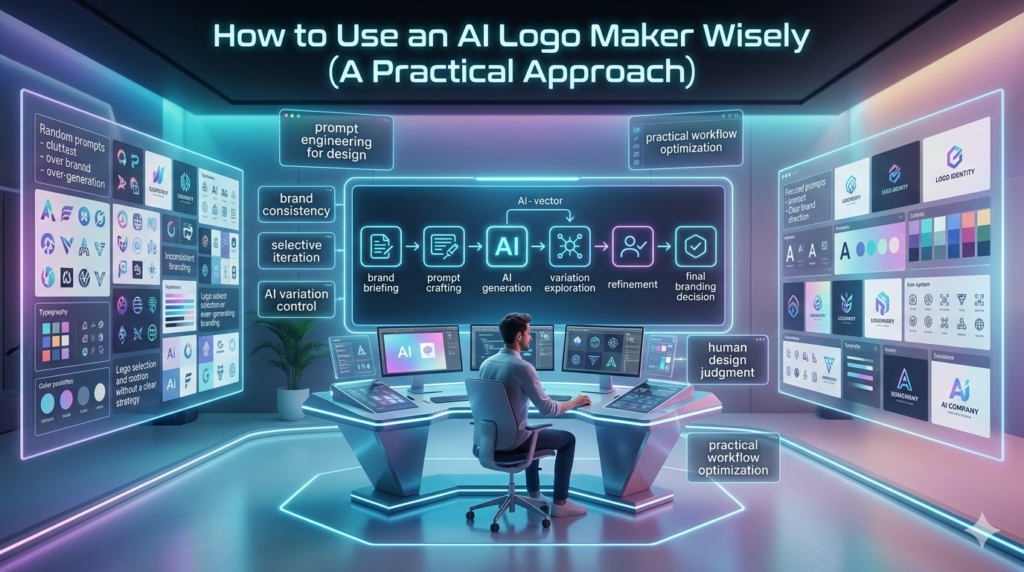
If you decide to use an ai logo maker, treat it like a first draft, not a finished identity.
- Start with strategy, not style. Write down your target audience, your main competitors, what makes you different, and 3–5 words you want people to feel when they see your brand. If you can’t answer these, no logo tool will save you.
- Check originality and usage rights carefully. Look for clear licensing terms. Make sure you can use the logo commercially, and check for similar logos in your market (a quick Google image search and a trademark database search go a long way).
- Insist on proper files. At minimum, you want a vector logo (SVG/EPS) and high resolution PNGs with transparent backgrounds. If the platform doesn’t offer these, consider it a red flag.
- Test in real-world contexts. Put the logo on a mobile screen, a dark background, a letterhead, a social avatar, and a printed label mockup. If it falls apart anywhere, keep iterating or get professional help.
- Know when to hire a designer. If you’re raising money, entering a competitive market, launching physical products, or building a brand you plan to own for years, invest in custom work. A good designer won’t just make a pretty mark; they’ll help you build a system you can grow into.
In my experience, the best branding outcomes happen when business owners are honest about where they are. An ai logo maker can be a smart, practical stepping stone but it’s rarely the destination if you’re serious about building trust and recognition.
FAQs
Q: Is an ai logo maker good for a new small business?
A: Yes, if you need something fast and affordable to launch, but treat it as a temporary solution until you can invest in a more strategic brand identity.
Q: Can I trademark a logo made with an ai logo maker?
A: Sometimes, but it depends on the platform’s licensing terms and whether the design is truly original. Always verify ownership rights and run a trademark/search check before applying.
Q: What file types should I get from an ai logo maker?
A: You should get vector files (SVG or EPS) plus high-resolution PNGs with transparent backgrounds. These ensure your logo works for print, web, and large-format uses.
Q: How do I avoid getting a generic logo?
A: Give the tool very specific inputs, avoid overused icons in your industry, customize colors and typography, and test the logo against competitors to spot similarities early.
Q: When should I hire a professional designer instead?
A: Hire a designer when your brand affects revenue directly think product packaging, fundraising, retail presence, or long-term brand equity where strategy and originality matter most.