
I still remember the first time I let an AI meeting assistant join one of my client calls. It felt strange, almost intrusive, like inviting a stranger to sit silently in the corner of the room scribbling everything down. Two years later, I can barely imagine running my workweek without one. The shift happened slowly, then all at once and judging by conversations with other consultants, founders, and project managers, I’m far from alone.
If you’ve been on the fence about whether these tools actually deliver, or you’re trying to figure out which one fits your workflow, here’s what I’ve picked up from real, sometimes messy, day-to-day use.
What an AI Meeting Assistant Actually Does
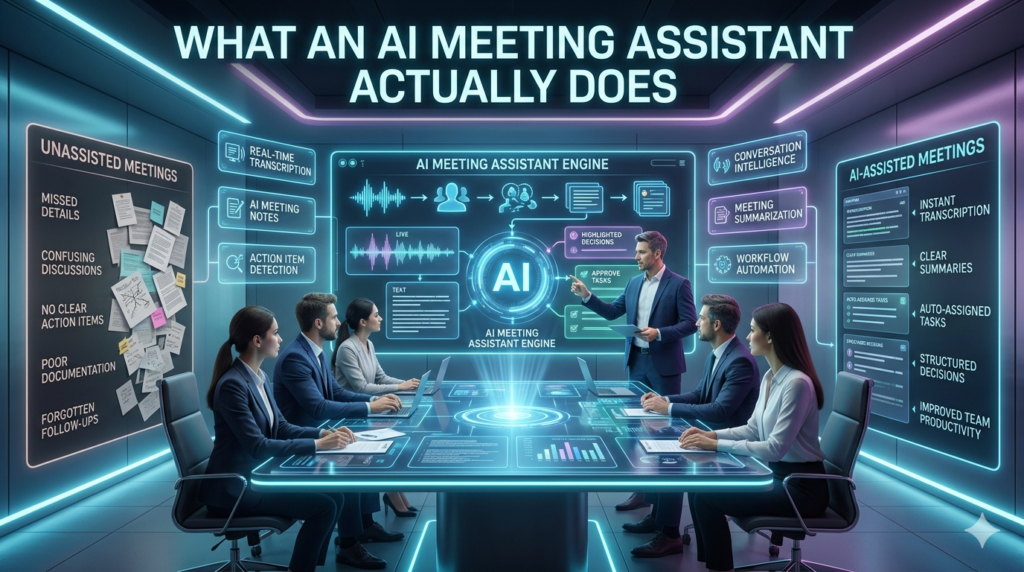
At its core, an AI meeting assistant is software that listens to your meetings over Zoom, Google Meet, Microsoft Teams, or even in-person conversations and turns the audio into something useful. That usually means a live transcript, a structured summary, action items, and searchable notes you can revisit weeks later. The better ones go further. They identify who said what, highlight key decisions, pull out questions that went unanswered, and integrate with your CRM, Slack, Notion, or task manager.
Some, like Fireflies, Otter, Fathom, Read.ai, and tl;dv, have built loyal followings. Others, like Granola and Circleback, have come up fast by focusing on cleaner summaries and less clutter. Microsoft Copilot and Google’s Gemini-powered note features have brought the same capability natively into the platforms most of us already use.
Why I Stopped Taking Manual Notes
For years I prided myself on detailed handwritten notes. The problem? I’d miss things while writing, lose notebooks, or scribble shorthand I couldn’t decipher a month later. More importantly, I wasn’t really listening I was transcribing. The first measurable change after switching was the quality of my conversations. When you trust that nothing is being lost, you ask better follow-up questions, you make eye contact, you actually think.
A product manager I interviewed for a case study told me the same thing: I went from being a court stenographer to being a participant again. There’s also the time math. A 45-minute meeting used to mean 15–20 minutes of write-up afterward. Multiply that by five or six meetings a day, and you’re looking at hours reclaimed each week.
Where These Tools Shine
A few use cases where I’ve seen real, measurable value:
Sales and customer calls. Tools like Gong and Chorus go beyond notes they analyze talk-to-listen ratios, flag competitor mentions, and feed insights back into your sales process. Smaller teams using Fathom or Fireflies get a lighter version of the same thing.
Cross-time-zone teams. When half your team is asleep during your meeting, a summary with clear action items beats forcing everyone onto a 6 a.m. call.
Hiring. Recording interviews (with consent) means hiring managers can compare candidates fairly without leaning on memory or biased post-call impressions.
Research and journalism. I’ve interviewed dozens of people for articles. Having an accurate transcript I can quote from changes everything about the writing process.
The Real Limitations Nobody Talks About Enough
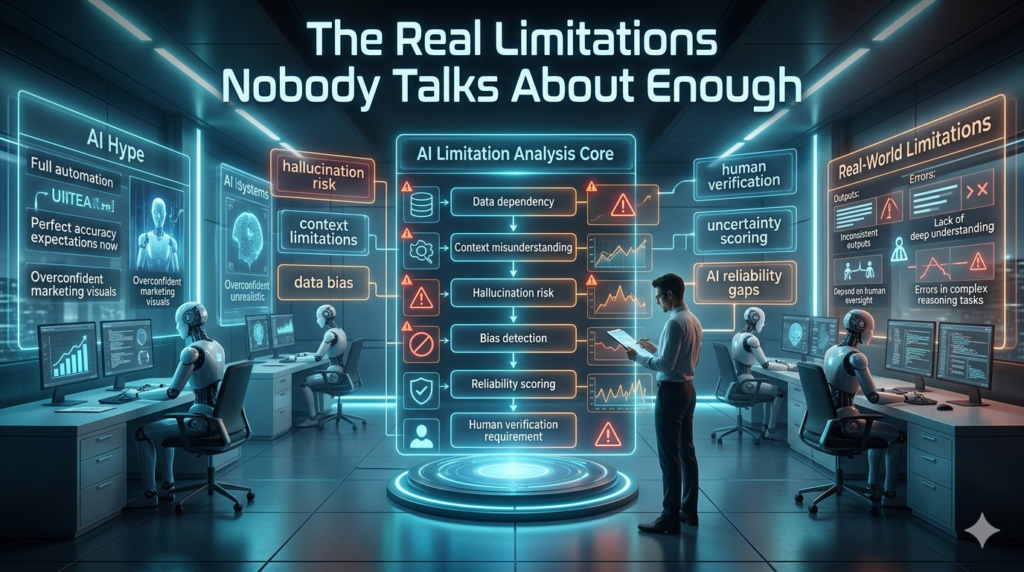
Honestly, the marketing for these tools oversells them. Here’s what actually happens in practice:
Accuracy drops with accents, jargon, and cross-talk. I work with clients in India, the UK, and the American South. Transcripts get sloppy when speakers have strong accents or when industry-specific terms come up. Names get butchered constantly.
Summaries can miss nuance. An AI might capture that the team agreed to launch in Q2 but miss the hesitant tone from the engineering lead that signaled real risk. Human judgment still matters.
Action item extraction is hit or miss. Sometimes it pulls vague throwaway comments as tasks. Sometimes it misses the actual commitments. I review every summary before forwarding it.
Privacy is a real issue. More on this in a second.
The Privacy Conversation You Need to Have
This is the part I think people brush past too quickly. When you bring a recording bot into a call, you’re capturing someone’s voice, words, and sometimes confidential information and sending it to a third-party server for processing. Laws like GDPR in Europe, CCPA in California, and various two-party consent laws in U.S. states (Illinois, Florida, California, among others) require everyone on the call to know they’re being recorded. It was just for my notes isn’t a defense.
My rule: announce the assistant at the start of the meeting, give people a chance to object, and check your vendor’s data retention and training policies. Some tools train their models on your conversations unless you opt out. That’s a hard no for client work covered by NDAs.
How to Choose One That Fits
Rather than reading endless comparison posts, I’d suggest this: pick the two or three tools that integrate natively with the platforms you already live in, then run each for a week on similar meetings. The differences become obvious fast some produce summaries you can actually send to a client, others produce walls of bullet points you’ll never read.
Things worth checking:
- Transcript accuracy on your accent and vocabulary
- How summaries are structured (narrative vs. bullets)
- Integration with your task manager and calendar
- Pricing per user once your team grows
- Data handling and whether your audio trains their models
Where This Is Heading
The current generation of meeting assistants is already pretty good at the basics. What’s coming next is more interesting: assistants that prep you before the meeting by pulling relevant context from past conversations, suggest questions in real time, and connect dots across weeks of discussions to flag patterns you’d never catch yourself. The line between note-taker and actual collaborator is blurring. Whether that’s exciting or unsettling probably depends on how you feel about software sitting quietly in every conversation you have.
For me, the answer is somewhere in between. I use these tools daily, I find them genuinely useful, and I still don’t fully trust them. That balance leaning on the convenience while keeping a skeptical eye feels like the healthiest way to work with any new technology.
FAQs
Q: Are AI meeting assistants accurate?
A: Mostly yes for clear English speech, less so with accents, jargon, or overlapping voices. Always review before sharing.
Q: Is it legal to record meetings with AI?
A: Only with consent. Many regions require all participants to be notified, so always announce it.
Q: Do these tools work for in-person meetings?
A: Yes, most have mobile apps that record live audio, though quality depends on the environment.
Q: Will my conversations be used to train AI models?
A: Sometimes. Check your vendor’s privacy settings and opt out if needed.
Q: What’s the best AI meeting assistant in 2025?
A: There’s no single winner. Fathom, Granola, Fireflies, Otter, and built in tools like Copilot all lead in different categories.
Q: Can it replace a human note-taker?
A: For routine meetings, yes. For sensitive or strategic discussions, a human still adds context AI misses.