
I’ve spent the better part of the last decade juggling calendars for myself, for clients, and for small teams first back when it meant endless email threads trying to find a time, and later as calendar automation started to actually work in the real world. If there’s one tool that’s quietly changed how modern work gets done, it’s the ai scheduling assistant. Not because it’s flashy, but because it removes one of the most persistent sources of friction in professional life: the constant back and forth of scheduling meetings.
I still remember a consulting project a few years ago where our team had to coordinate stakeholders across New York, London, and Singapore. We spent nearly two full days across a week just aligning availability. Someone would propose a time, another person would be traveling, a third would have a conflict that didn’t show up in the shared calendar, and by the time we agreed, the window had closed. That mess is exactly where an ai scheduling assistant earns its keep.
What an ai scheduling assistant actually does (and what it doesn’t)
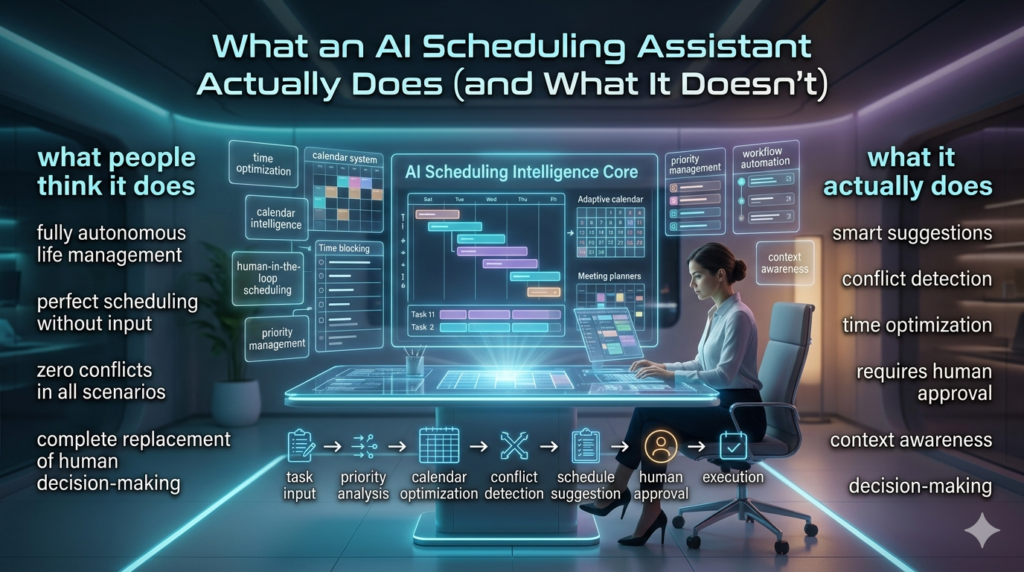
At its core, an ai scheduling assistant is software that helps you book meetings by understanding availability, preferences, time zones, meeting types, and even the context of who you’re meeting with. It’s more than a simple find free time tool. A good one can suggest optimal meeting slots based on your work patterns (for example, protecting focus time in the morning), handle rescheduling when conflicts pop up, coordinate group meetings without flooding everyone’s inbox, and integrate with the tools you already use Google Calendar, Microsoft 365, Zoom, Teams, Slack, and CRMs.
But here’s the honest part: it’s not magic. If your calendar is a disaster double booked blocks, outdated recurring meetings, or no buffer time between calls an ai scheduling assistant will just help you mismanage time faster. I’ve seen teams adopt scheduling software expecting instant relief, only to realize they first needed to clean up their calendars and agree on basic norms (like no internal meetings before 10 a.m., or keeping Fridays meeting-light).
Real-life examples: where it shines
1) The recruiter coordinating dozens of candidates. A friend of mine runs a small recruiting agency and used to spend hours each week sending availability, chasing confirmations, and rebooking when someone got sick or ran late. After adopting an ai scheduling assistant, candidates could pick from pre set interview windows that respected her team’s actual availability (including lunch breaks and debrief time). The result wasn’t just saved time it was fewer no-shows, because the system sent reminders and made rescheduling painless instead of awkward.
2) The hybrid sales team working across time zones. In a SaaS company I advised, the sales reps were spread across North America and Europe. Prospects would request demos at all hours, and reps were burning out trying to accommodate everyone. By using an ai scheduling assistant with rules like no meetings after 6 p.m. local time and auto-suggest two best windows per request they reduced after hours calls by almost 40% in a month. More importantly, conversion rates didn’t drop; prospects were happy to book the suggested times, and reps had more energy for the calls themselves.
3) The executive who needs deep work. One executive I worked with had back-to-back meetings from 9 to 5 most days, then caught up at night. We set up an ai scheduling assistant with strict holdouts for deep work (two 90-minute blocks), travel buffers, and a default 25-minute meeting option instead of 30. The assistant started declining or reshuffling low-priority recurring meetings automatically based on rules we defined. Within weeks, she told me she felt less reactive and her team actually respected her availability more, because the boundaries were visible and consistent.
Best practices I’ve learned from hands-on use
If you’re considering an ai scheduling assistant for yourself or your team, here are a few lessons I wish more people took seriously:
- Start with meeting hygiene. Audit your calendar for a week. Cancel or shorten recurring meetings that no longer have a clear purpose. An assistant can optimize a broken schedule, but it can’t fix unclear priorities.
- Set rules, not just links. The best results come from defining preferences: focus time, meeting buffers, max meetings per day, preferred days for external calls, and time zone handling. Treat it like you’re training a capable assistant clear instructions beat vague expectations.
- Use meeting types intentionally. Create different scheduling links for different purposes: “15-minute intro call,” “30-minute demo,” “60-minute strategy session.” This reduces decision fatigue for the other person and keeps meetings from ballooning unnecessarily.
- Build in buffers and travel time. Especially for hybrid work, people need time to commute between locations, grab lunch, or reset between video calls. A good ai scheduling assistant can enforce buffers automatically so your day doesn’t become a sprint from one call to the next.
- Keep humans in the loop for sensitive situations. If you’re scheduling with senior stakeholders, job candidates, or customers in delicate negotiations, automation should support the process not hide it. Sometimes a short personal note and a quick confirmation call is still the right move.
Limitations and ethical considerations
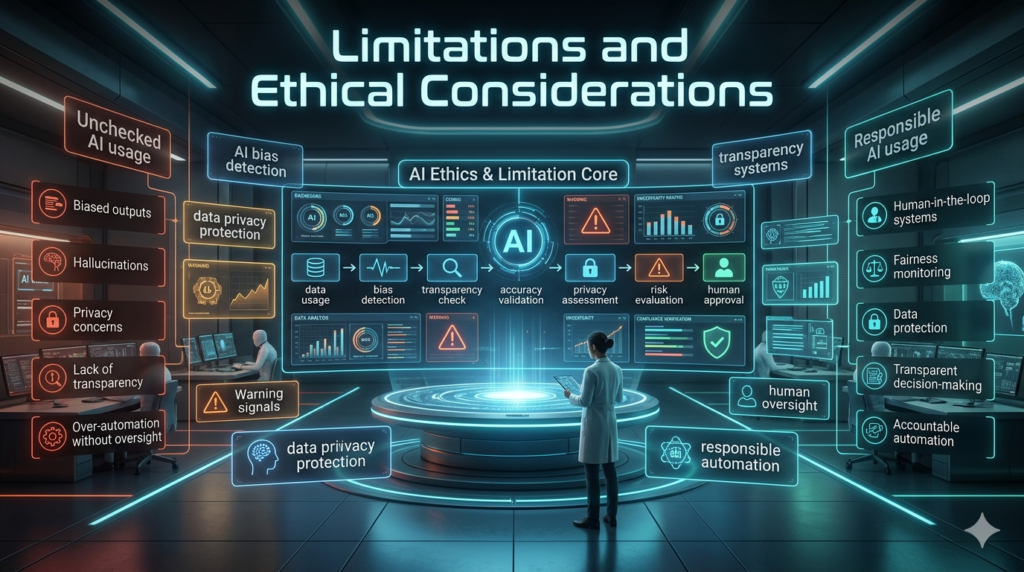
No tool is free of trade-offs. Privacy is a big one: calendar data can reveal a lot about your workload, stress patterns, and even health (think medical appointments or therapy blocks). Make sure you understand what data the scheduling software accesses, how it’s stored, who can see it, and whether admins in your organization can override your settings. There’s also the risk of optimization overload. I’ve seen teams become so efficient at booking meetings that they accidentally increase meeting volume because it’s now frictionless to fill every open slot. The goal isn’t to maximize meetings; it’s to protect time for the work that actually moves things forward.
And let’s be real about bias and fairness: if an ai scheduling assistant is configured to always prioritize certain people or departments, it can quietly reinforce power imbalances. For example, if leadership’s meetings always get prime time while support teams are pushed to odd hours, the tool becomes a silent enforcer of inequality. The fix is transparency and shared team agreements, not just better algorithms.
The current-era reality: why this matters now
In 2026, most knowledge workers are dealing with calendar overload, constant context switching, and the blurred lines of hybrid work. Clients expect fast responses, teams are global by default, and just find a time can eat up hours every week. An ai scheduling assistant isn’t a silver bullet, but when implemented thoughtfully, it’s one of the few productivity tools that actually returns time to your day without asking you to work harder.
From what I’ve seen in real organizations, the teams that benefit most are the ones that treat scheduling automation as part of a broader time management culture: clear priorities, respectful boundaries, and fewer unnecessary meetings. Used that way, it doesn’t just save time it makes work feel less chaotic.
FAQs
Q: Is an ai scheduling assistant secure for work calendars?
A: Many reputable tools offer enterprise grade security, but you should review permissions, data retention policies, and admin controls before rolling it out company wide.
Q: Will it work across different time zones automatically?
A: Yes, most modern scheduling assistants detect time zones and suggest appropriate slots, but it’s still smart to confirm with participants especially when daylight saving changes or travel is involved.
Q: Can it handle group meetings with many attendees?
A: Absolutely. It can find common availability and even prioritize key attendees, though very large groups (50+) may still require some manual coordination.
Q: What’s the biggest mistake people make when adopting one?
A: Skipping calendar cleanup and not setting clear rules. If your availability is inaccurate or your preferences aren’t defined, the assistant can’t make good decisions.
Q: Do I still need a human assistant if I use scheduling automation?
A: For many individuals and small teams, yes an ai scheduling assistant can replace a lot of manual coordination. For executives or complex organizations, it often works best alongside a human who handles judgment calls and exceptions.