
There’s a peculiar hum to the modern office. It’s not the whir of air conditioners or the clatter of keyboards anymore; it’s the silent, invisible processing of algorithms working alongside us. A few years ago, reviewing software meant checking for intuitive UI, speed, and feature sets. Today, the landscape has shifted beneath our feet. We are no longer just reviewing tools; we are reviewing collaborators. As someone who has spent decades navigating the intersection of technology and productivity, I’ve seen trends come and go.
But the current wave of Artificial Intelligence integration isn’t just a trend it’s a fundamental restructuring of how we interact with digital environments. In this review, I’m not just listing features of a single app. Instead, I’m taking a holistic look at the current state of AI software, evaluating the ecosystem through the lens of a daily user, a skeptic, and an analyst.
The Shift from Static Tools to Dynamic Partners
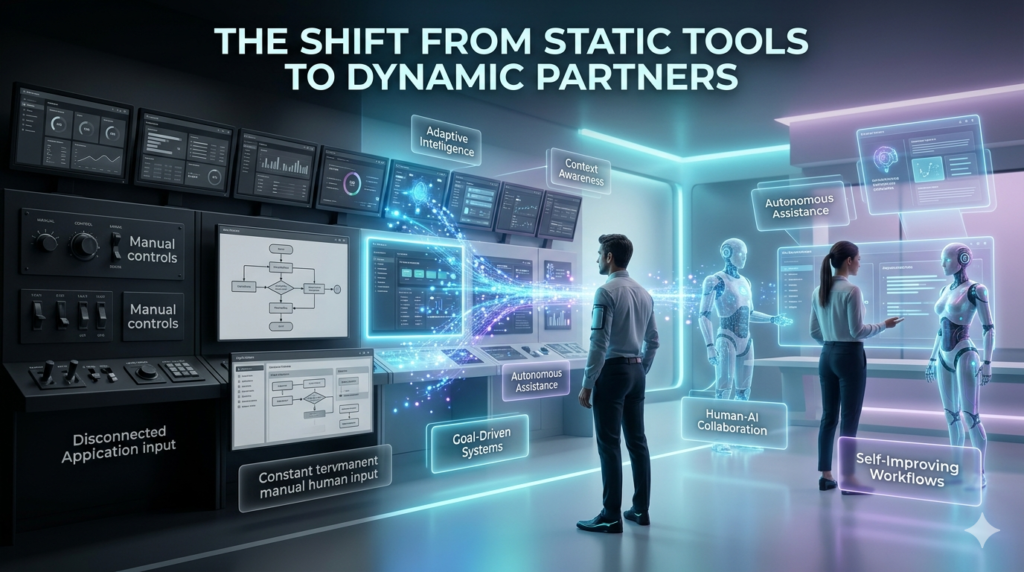
Gone are the days when software was a passive canvas waiting for input. Modern AI software is proactive. It anticipates, suggests, and sometimes even creates. Take the realm of writing and content creation. Tools like Grammarly or Jasper have evolved beyond simple spell-checking. They now analyze tone, intent, and even structural flow. I recently worked on a technical whitepaper where the AI didn’t just correct my grammar; it flagged a logical inconsistency in my argument on page three. It caught a human oversight a subtle but powerful shift from correction to critical thinking.
However, this capability comes with a learning curve. The black box phenomenon where you get an output without understanding the reasoning is a significant limitation. In my experience, the best AI software now includes exploitability features, showing you why a suggestion was made. This transparency is crucial for trust.
The Visual Renaissance: Generative Imaging
If text-based AI is the brain, generative image software is the imagination. Tools like Mid journey, DALL-E 3, and Adobe Firefly have democratized visual creation. But as a reviewer, I look beyond the wow factor. I recently tested a batch of these tools for a marketing campaign. The variance in quality was staggering. Some tools excelled at photorealism but failed at specific text rendering within images. Others were stylistic wizards but struggled with anatomical consistency.
The Real-World Test:
I prompted a leading generative tool to create a vintage typewriter on a rainy café table, cinematic lighting. The result was visually stunning, but upon closer inspection, the keys were a jumbled mess of letters a classic AI artifact. This highlights a current limitation: while these tools are brilliant at broad strokes, they often stumble on fine details. For professional use, this means human oversight isn’t just recommended; it’s mandatory.
Productivity and Project Management: The Invisible Assistant
Perhaps the most practical application of AI today lies in project management software. Tools like Notion AI, Click Up, and Monday.com have integrated LLMs (Large Language Models) directly into their workflows. Here, the value isn’t in generating art but in summarizing chaos. Imagine a project board with 200 active tasks. A human project manager might spend hours parsing updates. An AI-integrated dashboard can instantly generate a status report: “Project Alpha is delayed due to supply chain issues in Task 42; Task 55 is awaiting approval.”
I’ve observed teams using these features to cut meeting times by 30%. The software handles the data aggregation, leaving humans to make the strategic decisions. However, a word of caution: over-reliance on AI summaries can lead to context blindness. If you only read the AI summary, you might miss the nuance of a team member’s frustration or a subtle blocker that isn’t quantified in data points.
The Audio and Video Frontier
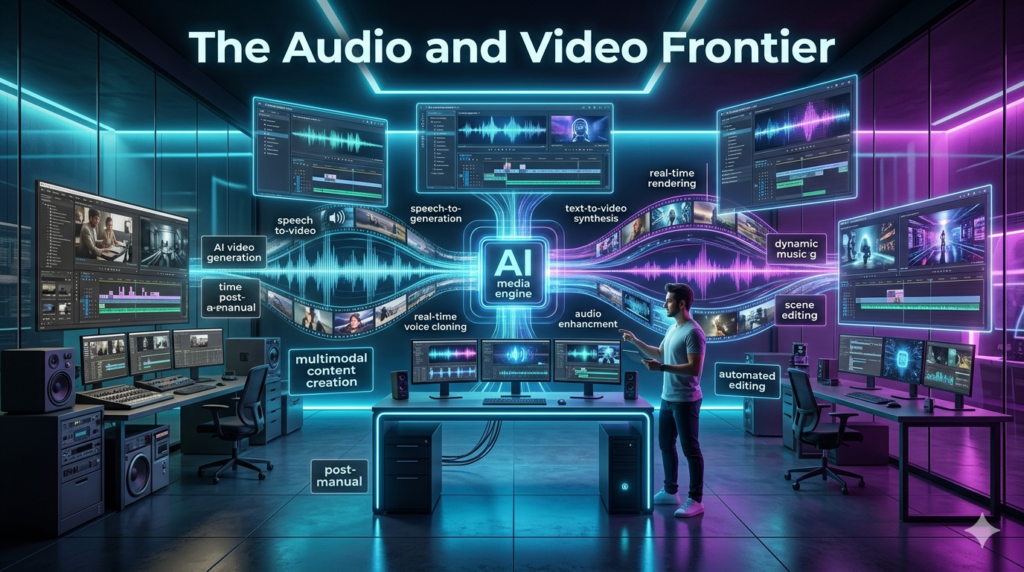
Editing media has traditionally been a resource-heavy task. AI has changed the barrier to entry. Tools like Descript for audio and Runway for video allow editors to manipulate media by editing text transcripts. I tested this with a podcast recording that had terrible background noise. Traditional noise reduction plugins often left the voice sounding robotic. An AI-powered spectral editor, however, isolated the voice frequencies with startling clarity, preserving the natural warmth of the speaker.
Yet, ethical considerations loom large here. The ability to clone voices and deepfake videos is accessible to anyone. As a reviewer, I must emphasize the ethical responsibility of using these tools. Watermarking and provenance tracking are becoming industry standards, but the technology to remove them is also advancing. It’s a cat-and-mouse game that users need to be aware of.
The SEO and Content Strategy Angle
For those focused on digital marketing, AI software offers a double-edged sword. On one hand, keyword research and content clustering tools like Surfer SEO or Market Muse use AI to analyze top-ranking pages and suggest content structures. This is incredibly efficient for understanding search intent. On the other hand, search engines are getting smarter at detecting purely AI-generated content. Google’s Helpful Content update emphasizes Experience, Expertise, Authoritativeness, and Trustworthiness (EEAT).
AI software lacks lived experience. It cannot visit a factory, taste a recipe, or feel the frustration of a customer service call. Therefore, the best strategy I’ve found is using AI for the heavy lifting outlining, data analysis, and first drafts while relying on human expertise for the final polish, personal anecdotes, and genuine insight. This hybrid approach is the only sustainable path for SEO in the current era.
Limitations and The “Hallucination” Problem
No software review is complete without discussing failure states. In AI, the most notorious is the hallucination when an AI confidently states false information as fact. I once asked a leading AI coding assistant to debug a specific Python script. It provided a solution that looked plausible but actually introduced a security vulnerability. It didn’t know it was wrong; it just predicted the most statistically likely next word in the sequence.
This underscores a critical limitation: AI software is probabilistic, not deterministic. It’s excellent for brainstorming and draft creation, but dangerous for final execution without verification. As users, we must shift from passive consumers of information to active verifiers.
The Cost of Computation
There’s a practical economic aspect to this review. Training and running large AI models are expensive. We are seeing a shift from free beta to premium subscription. Many software tools that previously cost $10/month are now $30/month due to the added AI compute costs.
Is it worth it? For a casual user, perhaps not. For a professional creator or business analyst, the ROI is undeniable if it saves even a few hours a week. However, it’s wise to audit your subscriptions. Don’t pay for AI features you aren’t utilizing.
Security and Privacy Concerns
When you upload a document to an AI-enabled cloud tool, where does that data go? This is the elephant in the room. Most reputable software providers state they do not use customer data to train their public models, but the risk of data leakage remains.
In my own practice, I avoid uploading sensitive client data or proprietary code to public AI interfaces. I use local, offline models for high-stakes work. While they are less powerful than cloud-based giants, the privacy guarantee is absolute. This trade-off between capability and security is a personal calculation every user must make.
Conclusion: The Augmented Human
Reviewing AI software in 2024 feels less like reviewing a tool and more like reviewing a relationship. These programs are not replacements for human intellect; they are amplifiers. The best AI software is invisible. It doesn’t get in your way; it smooths the path. It handles the tedious so you can focus on the creative. But it demands a new set of skills from us: critical thinking, prompt engineering, and ethical judgment. As we move forward, the distinction between AI software and software will blur. AI will simply be a standard feature, like spell-check is today.
The winners in this space won’t be the ones with the flashiest algorithms, but the ones that integrate seamlessly into human workflows, respecting our intelligence while extending our capabilities. The human touch remains irreplaceable. AI can write a sonnet, but it cannot feel the heartbreak that inspires it. It can analyze data, but it cannot understand the cultural context behind the numbers. Use the software, leverage the efficiency, but never outsource your judgment.
FAQs
Q: Is AI software difficult to learn for beginners?
A: Not necessarily. Many modern AI tools are designed with intuitive interfaces. However, mastering prompt engineering the art of communicating effectively with AI takes practice. Start with simple tasks and gradually explore advanced features.
Q: Can AI software replace human jobs?
A: AI is more likely to replace tasks than entire jobs. It excels at repetitive, data-heavy, or drafting work. Roles requiring emotional intelligence, complex strategic decision making, and ethical judgment remain firmly in the human domain.
Q: How do I choose the right AI tool for my needs?
A: Define your bottleneck first. If you struggle with writing, look at text generators. If video editing is your pain point, look at visual AI tools. Avoid paying for suites with features you won’t use. Always utilize free trials to test the output quality.
Q: Is AI-generated content safe for SEO?
A: Yes, but with caveats. Search engines prioritize helpful, high quality content. AI content that is purely generated without human editing, fact-checking, or added value can be flagged as spam. The best practice is a human in the loop approach.
Q: What are the ethical concerns with using AI software?
A: Key concerns include copyright infringement (using unlicensed training data), bias in algorithms (reflecting societal prejudices), and the potential for misinformation (deep fakes). Always verify sources and respect intellectual property when using these tools.