
Add a chatbot used to mean slapping a scripted widget on your website and hoping customers didn’t notice how limited it was. Today’s AI live chat tools are a different animal. They can summarize long conversations, pull answers from a knowledge base, route tickets intelligently, and when implemented well take a real bite out of repetitive support work without turning your customer experience into a maze.
I’ve been on both sides of this: helping teams roll out live chat platforms, training agents to use AI assist features, and cleaning up messy deployments where automation created more frustration than savings. The pattern is consistent: the best outcomes come from clarity on what AI should do, careful guardrails, and a willingness to treat chat as a product not a plug‑in. Let’s break down what modern AI live chat tools actually are, how to pick one, and how to avoid the common mistakes.
What “AI Live Chat” Really Means Now
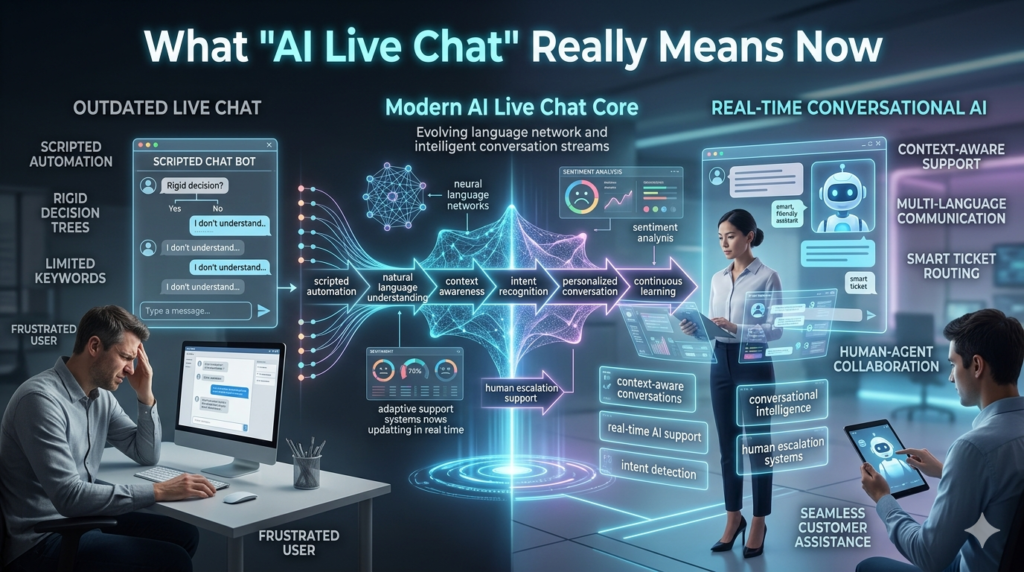
Most platforms marketed as AI chat fall into three overlapping categories:
- AI Chatbots (customer-facing automation)
These handle common questions (“Where’s my order?” “How do I reset my password?”) and can walk users through basic workflows. The jump from old-school chatbots is that modern ones can interpret intent better and pull answers from real documentation, not just pre-written decision trees. - Agent Assist (AI for human support reps)
This is where I’ve seen the fastest wins. The AI listens in, drafts replies, suggests help center articles, summarizes the customer’s issue, and fills ticket fields. The customer still talks to a human, but that human becomes much faster and more consistent. - Hybrid Live Chat (AI first, human when needed)
The best setup for many businesses: AI handles triage and FAQs, then hands off to an agent with full context. Done properly, it feels seamless. Done poorly, it becomes the dreaded “I already told you that” experience.
The term you’ll also hear more often is conversational AI meaning the system can understand natural language, remember context (within limits), and respond in a way that’s not rigidly scripted.
Why Businesses Are Adopting AI Live Chat Tools
The obvious driver is cost, but the more interesting driver is speed. Customers now expect near instant responses across web chat, in app chat, and even social messaging.
Here are the real, measurable outcomes companies tend to chase:
- Lower first response time (FRT): without hiring more agents
- Higher self-serve resolution: for repetitive issues
- Shorter handle times: via AI-assisted drafting and summarization
- More consistent answers: across shifts and teams
- Better routing: (billing vs. technical vs. returns) using intent detection
In a mid sized e-commerce operation I worked with, the where is my order volume was swallowing the team every Monday. Adding AI chat automation that integrated with order status (and knew when to escalate) cut those tickets dramatically. But the key wasn’t the bot’s personality it was the integration and the escape hatch to a human when the status looked abnormal.
The Core Features That Matter (Not the Buzzwords)
Most vendors promise the same headline benefits. When you’re evaluating AI live chat tools, focus on these practical capabilities:
1. Knowledge Base Grounding
Can the AI answer using your help docs, policies, and product pages?
Look for:
- citations/links to sources used
- controls over what content can be referenced
- versioning so outdated articles don’t keep resurfacing
2. Smooth Human Handoff
A handoff should include:
- conversation transcript
- customer metadata (plan, order, device, last actions)
- the AI’s best guess at intent and suggested next steps
If agents have to ask customers to repeat themselves, your chat tool is creating work, not removing it.
3. Agent Assist That Fits the Workflow
Good agent assist shows up where agents already work in the inbox/ticket panel without forcing extra clicks. Useful functions include:
- reply drafting with adjustable tone
- summarization for long threads
- automatic tagging and field completion
- recommended macros and articles
4. Omnichannel Support
Customers move between web chat, email, and social. If your tool can’t unify conversations, you’ll end up with fragmented context and duplicate work.
5. Analytics That Tie to Outcomes
You want more than bot conversations. Track:
- containment rate (resolved without agent)
- CSAT by channel and by issue type
- escalation reasons (why AI failed)
- deflection vs. actual resolution (not the same!)
A Realistic Rollout Plan (That Won’t Backfire)
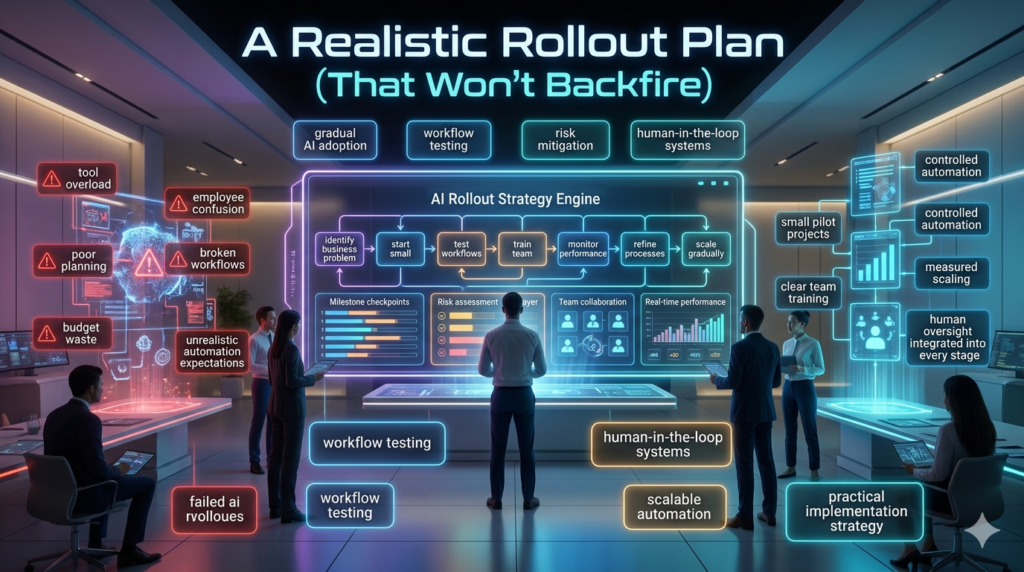
The biggest implementation mistake I see is going too broad, too fast. A smarter approach looks like this:
Step 1: Start with the “boring” top 10 issues
Pull ticket data and identify repeatable questions with clear answers:
- password resets
- order tracking
- subscription changes
- business hours / shipping policies
These are ideal for automation because customers want speed more than nuance.
Step 2: Build guardrails, not just prompts
Decide what the AI must never do:
- give medical/legal/financial advice (without strict controls)
- override refund policy
- invent troubleshooting steps that could damage devices
- make guarantees on delivery timelines
If you’re in regulated industries, loop in compliance early retrofits are painful.
Step 3: Treat the bot like a living product
Assign an owner (even part-time) to:
- review failed chats weekly
- update knowledge sources
- monitor new product launches/policy changes
- measure impact beyond vanity metrics
Chatbots don’t set and forget. The business changes; the bot must change too.
Common Pitfalls (and How to Avoid Them)
Pitfall 1: Over-automation that erodes trust
When AI live chat tools try to handle emotionally charged or complex cases billing disputes, cancellations, fraud flags customers can feel stonewalled.
Fix: escalate earlier for high-friction intents, and let customers request a human easily.
Pitfall 2: Hallucinated answers and confident wrongness
Even strong systems can produce plausible but incorrect answers if your knowledge base is thin or contradictory.
Fix: require citations for policy answers, limit the AI to approved sources, and add I’m not sure behaviors that trigger escalation.
Pitfall 3: Not training your agents to work with AI
Agents can resist AI suggestions if they feel monitored or replaced.
Fix: position AI as a speed and consistency tool, ask agents for feedback, and measure quality not just handle time.
Security, Privacy, and Ethics: The Unsexy Stuff That Matters
If your AI chat touches customer data, you need to think carefully about:
- Data retention: How long are chats stored? Can you delete on request?
- PII handling: Does the tool mask credit card numbers and sensitive identifiers?
- Access control: Who can view transcripts and analytics?
- Compliance: GDPR/CCPA readiness, and industry-specific requirements (HIPAA, PCI considerations)
- Transparency: Customers should know when they’re interacting with automation, especially for important decisions.
A good vendor will answer these questions directly. If they dodge, that’s information too.
Choosing the Right AI Live Chat Tool: Practical Checklist
Before you sign anything, I’d pressure test these areas:
- Does it integrate with your CRM/help desk (Salesforce, Zendesk, HubSpot, etc.)?
- Can it pull real-time data (order status, account tier) securely?
- Can you control brand voice and escalation logic?
- Are analytics actionable, and can you export raw data?
- What happens when the AI is uncertain does it guess or escalate?
- Is pricing based on seats, conversations, resolutions, or AI usage?
The “best” platform depends on your environment. A lean SaaS team may prioritize fast setup and agent assist; a retailer may prioritize automation with deep order integrations.
Where AI Live Chat Tools Are Headed Next
The trend I’m watching closely is proactive support: AI that detects hesitation (repeated failed logins, checkout abandonment, error codes) and offers help at the right moment. Done respectfully, it feels like concierge service. Done aggressively, it feels like surveillance. Expect more emphasis on consent and user control as these features mature.
FAQs
Q: What’s the difference between live chat and an AI chatbot?
A: Live chat usually means human agents; AI chatbots automate responses. Many modern tools combine both.
Q: Are AI live chat tools good for small businesses?
A: Yes especially for handling FAQs and after hours inquiries but you still need clear policies and a way to reach a human.
Q: Will an AI live chat tool replace support agents?
A: In practice, it usually reduces repetitive workload and improves speed. Complex issues still need human judgment and empathy.
Q: How do I measure success after внедрение (implementation)?
A: Track containment rate, CSAT, first response time, resolution time, and escalation reasons not just number of chats.
Q: What’s the biggest risk with AI chat in customer support?
A: Confidently wrong answers. Use approved knowledge sources, require citations for policy responses, and escalate when uncertain.