
Last year, I sat across from a frustrated COO of a mid sized B2B distributor. He had just spent a small fortune on a shiny new “AI-driven” software suite, expecting it to magically slash his overhead by 30%. Instead, his team was spending more time fixing the software’s mistakes than they did on the actual work. He looked at me and asked, “Is this AI automation thing just a massive scam?” It’s a fair question. If you read the tech blogs, AI business automation sounds like a plug and play utopia.
But if you’ve actually been in the trenches implementing intelligent workflows, you know the truth: AI isn’t magic. It’s plumbing. And if your underlying pipes are rusted, pumping smarter water through them won’t fix the leak. Here is what AI business automation actually looks like on the ground today, where it shines, where it fails, and how to implement it without burning your budget.
The Shift from Brittle Bots to Intelligent Workflows
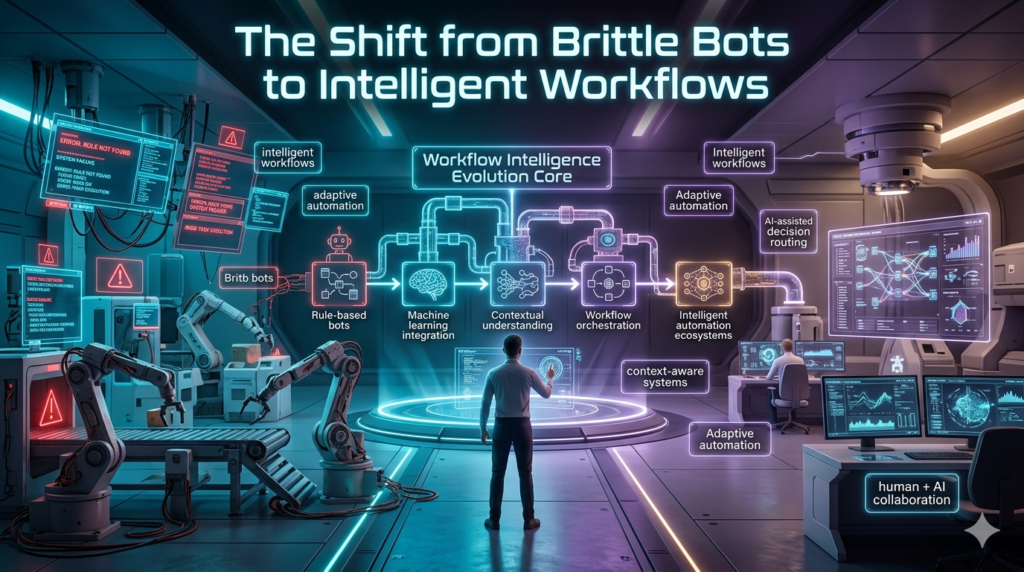
To understand where we are, we have to look at where we came from. For the last decade, businesses relied heavily on Robotic Process Automation (RPA). RPA was great for rigid, repetitive tasks. You could train a bot to copy data from Cell A in Excel and paste it into Field B in your CRM. But RPA was incredibly brittle. If a vendor updated their invoice layout, or a web page moved a submit button two pixels to the left, the bot broke.
Modern AI business automation often called intelligent automation changes the game because it handles unstructured data and ambiguity. Machine learning models and natural language processing don’t just read exact coordinates; they understand context. They can look at a messy, coffee stained PDF invoice, realize that “Total Due” and “Amount Payable” mean the same thing, and route it accordingly.
A Real-World Reality Check
Let me share a recent project that perfectly illustrates the messy middle of AI integration. We were working with a regional logistics firm drowning in vendor onboarding paperwork. They were receiving W-9s, insurance certificates, and banking details in a chaotic mix of email bodies, JPEGs, and PDFs. The goal was straight through processing. We deployed an AI extraction model to read the documents and populate the ERP system. Did it work perfectly on day one? Absolutely not. The AI initially confused a vendor’s remittance address with their corporate headquarters. It also flagged legitimate insurance certificates as expired because it misread a smudged date format.
Here is where the expertise comes in: we didn’t scrap the project. Instead, we built a human in the loop workflow. The AI processed the data and assigned a confidence score to every field. If the confidence was above 95%, it auto populated the ERP. If it was lower, it routed the document to a human clerk’s dashboard with the questionable fields highlighted in yellow. Within three months, the AI was handling 82% of the workload entirely on its own. The clerks weren’t fired; they were reassigned to vendor relationship management, a higher value task. That’s the real win of operational efficiency. It’s not about replacing humans; it’s about elevating them.
The Hidden Hurdles: Ethics, Data, and Shadow AI
Before you rush to automate your operations, you need to confront a few uncomfortable realities.
First, there is the golden rule of automation: automating a bad process just gives you a faster mess. If your current approval workflow requires five unnecessary managerial sign offs, feeding it to an AI won’t fix your bureaucratic bloat. You have to map and optimize the process before you apply machine learning.
Second, we need to talk about data privacy and ethics. I’ve seen well-meaning employees copy paste sensitive customer PII (Personally Identifiable Information) into public, web based AI tools just to summarize a document faster. This is a massive security risk. True business automation requires secure, enterprise-grade environments where your proprietary data isn’t being used to train public models.
Finally, there’s the cultural roadblock. If you introduce AI automation as a cost cutting measure, your team will quietly sabotage it. They will hoard data and point out every minor AI hallucination to prove the tech is useless. Frame the transition around capacity and removing drudgery, and you’ll find your team becomes your best source of automation ideas.
How to Actually Start
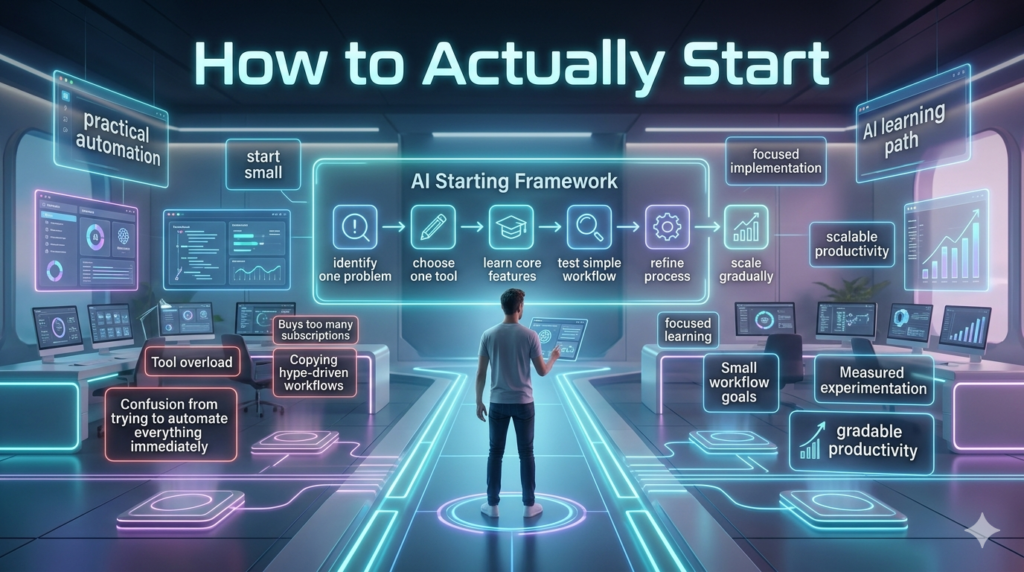
If you want to leverage AI for your business, don’t try to boil the ocean. Start small.
- Audit the Drudgery: Ask your frontline workers what tasks make them want to pull their hair out. Look for high volume, low variance tasks like data entry, initial customer support triage, or invoice matching.
- Clean Your Data: AI is only as good as the data it learns from. If your CRM is full of duplicate contacts and outdated records, clean it up first.
- Keep Humans in the Loop: Never let AI have the final say on high stakes decisions like denying a customer refund or rejecting a loan application without human oversight.
AI business automation is a marathon, not a sprint. It requires patience, a willingness to iterate, and a deep respect for the humans who actually run your business. When applied thoughtfully, it doesn’t just save time; it fundamentally unlocks your company’s ability to scale.
FAQs
Q: What is the difference between RPA and AI automation?
A: RPA (Robotic Process Automation) follows strict, pre-programmed rules and breaks if the input format changes. AI automation uses machine learning to understand context, adapt to unstructured data (like emails or varied PDF layouts), and make probabilistic decisions.
Q: Will AI automation replace my employees?
A: Rarely. In practice, AI replaces tasks, not entire jobs. It takes over repetitive, manual data entry and triage, freeing up employees to focus on strategy, complex problem solving, and relationship management.
Q: How long does it take to see ROI from AI automation?
A: For narrowly scoped projects (like automating invoice processing or customer support routing), businesses typically see a measurable ROI within 3 to 6 months. Enterprise-wide digital transformations can take a year or more to mature.
Q: Is it safe to use AI with sensitive company data?
A: It is safe if you use enterprise grade, secure AI environments that guarantee your data is not used to train public models. Pasting sensitive data into free, public AI chatbots is a major security and compliance risk.