
If I had a dollar for every time a business owner told me they wanted to “automate everything with AI,” I could probably fund my own startup. The pitch is always the same: they’ve seen a flashy demo on social media, and now they want an invisible workforce that runs their operations 24/7. But after spending the last few years in the trenches architecting and deploying AI automation software for mid sized agencies, logistics firms, and e-commerce brands I can tell you that the reality is a lot messier than the marketing brochures.
True cognitive automation isn’t magic. It’s a complex puzzle of APIs, data pipelines, and fallback protocols. Let’s strip away the buzzwords and talk about what it actually takes to build AI automation systems that survive contact with the real world.
The Leap from RPA to Cognitive Automation
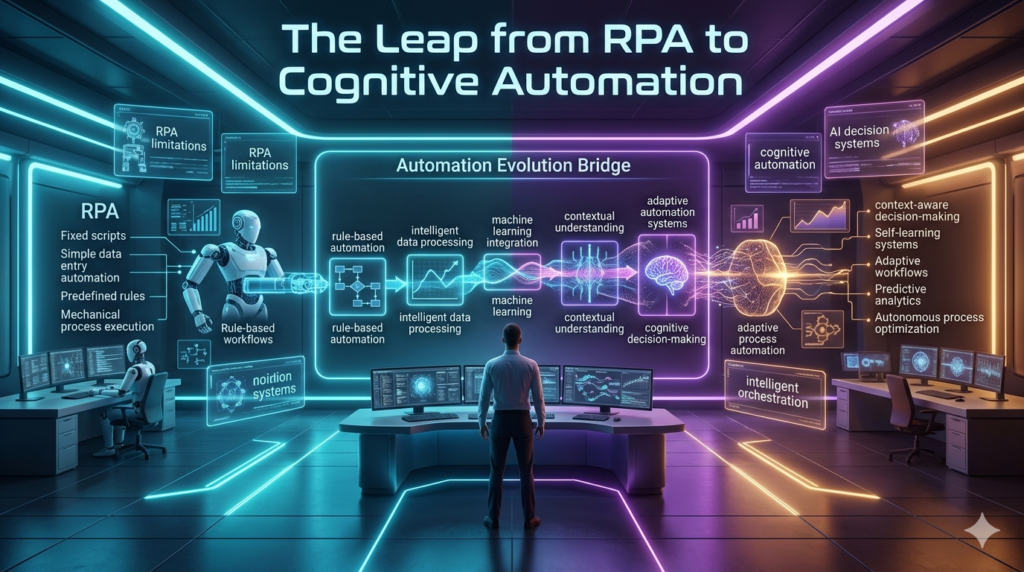
To understand where we are, you have to look at where we came from. Traditional Robotic Process Automation (RPA) and basic workflow tools like early Zapier were strictly rule-based. If an email arrives with an attachment, save it to this folder. It was rigid. If the email subject line changed slightly, the workflow broke.
Modern AI automation software flips this on its head. Instead of rigid rules, we use Large Language Models (LLMs) to handle unstructured data. Now, the system can read a messy, handwritten vendor invoice, understand the context, extract the line items, and push them into an ERP system. It’s the difference between a train on a fixed track and an off-road vehicle navigating terrain.
But off-road vehicles crash if you don’t know how to drive them.
A Real-World War Story: The $10,000 Hallucination
Let me share a hard-learned lesson from a project we deployed last year for a regional freight company. They were drowning in customer support emails regarding damaged shipments. The goal was to build an AI-driven triage system that would read the emails, assess the damage based on attached photos and text, and automatically approve claims under $500 to speed up payouts. We built a beautiful pipeline. We used a visual workflow builder to ingest the emails, passed the text and image data through a multimodal AI model, and routed the output to their billing software. During testing, it was flawless. On day three of going live, a customer wrote a highly emotional email about a delayed, slightly dented package, using words like devastated and ruined my entire week.
The AI, lacking nuanced context and perhaps running with a slightly high temperature setting, interpreted the sentiment as a catastrophic total loss. It bypassed the financial threshold logic and auto approved a $10,000 payout. We caught it during a manual audit a few hours later and reversed the charge, but it was a massive wake-up call. The fix? We implemented a strict Human in the Loop (HITL) protocol. Now, the AI drafts the approval and routes it to a Slack channel where a human agent simply clicks a green checkmark. The AI does the heavy lifting; the human provides the guardrails.
Building a Resilient AI Automation Stack
If you’re looking to build or buy into AI automation software today, you need a stack that balances flexibility with control. Here is what is actually working in the field right now:
- The Orchestrators: Tools like n8n and Make are currently the backbone of most custom AI workflows. They allow you to visually map out complex logic, handle webhooks, and manage API rate limits without writing thousands of lines of boilerplate code.
- The Brain: Relying solely on a single LLM is a rookie mistake. We use routing logic to send simple tasks to smaller, cheaper, and faster models, while reserving the heavy, expensive reasoning models for complex summarization or data extraction.
- The Memory (RAG): AI models forget things. To fix this, we integrate vector databases (like Pinecone or Weaviate) to give the automation software access to a company’s internal SOPs. This Retrieval-Augmented Generation (RAG) ensures the AI acts based on actual company policy, not just its training data.
The Hidden Costs and Limitations
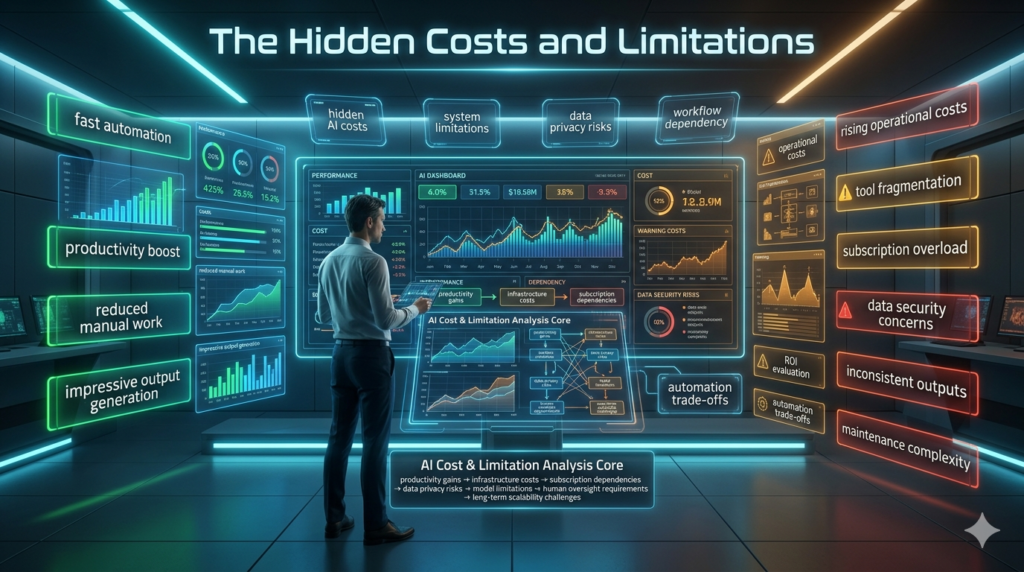
Nobody likes to talk about the friction, but as an implementer, it’s my job to highlight the limitations. First, there’s the cost of compute. Running thousands of documents through an LLM API daily will eat into your margins fast if you aren’t optimizing your prompts and caching responses. Second, latency is a real issue. If your AI automation is customer-facing like a chatbot or a real-time quote generator the two to four second delay while the model thinks can feel like an eternity to a user.
Then there is the ethical and security side. I’ve seen companies blindly feed Personally Identifiable Information (PII) into public API endpoints to automate data entry. This is a massive compliance risk. Enterprise grade AI automation requires strict data sanitization layers, ensuring that sensitive customer data is masked before it ever hits a third-party model.
The Bottom Line
AI automation software is the most powerful operational lever we’ve seen in decades, but it is a power tool, not an autonomous employee. The businesses that are winning right now aren’t the ones trying to replace their teams with algorithms. They are the ones using AI to strip away the robotic, soul crushing parts of their employees’ jobs, freeing them up to do the high-level, creative work that actually moves the needle. Build with guardrails, expect edge cases, and always keep a human finger near the kill switch.
FAQs
Q: What is the difference between RPA and AI automation?
A: RPA (Robotic Process Automation) follows strict, pre-programmed rules and struggles with unstructured data. AI automation uses machine learning and LLMs to understand context, make decisions, and process messy, unstructured inputs like natural language or images.
Q: Is AI automation software secure for handling customer data?
A: It can be, but not out of the box. You must use enterprise grade API agreements that guarantee your data isn’t used for model training, and implement data-masking layers to strip PII (Personally Identifiable Information) before processing.
Q: How long does it take to build a custom AI automation workflow?
A: A basic proof of concept can be built in a few days using visual tools like Make or n8n. However, a production ready system with error handling, human in the loop safeguards, and secure data pipelines typically takes 4 to 8 weeks to properly architect and test.
Q: Will AI automation replace my workforce?
A: In most cases, no. AI is best used to augment human workers by automating repetitive, high volume tasks (like data entry or initial email triage). This allows your team to focus on complex problem solving, strategy, and relationship management.