
We have all been there. It is 3:00 PM on a Tuesday, your browser has thirty two tabs open, your email inbox is flashing with urgent-looking subject lines, and you are staring at a blank document that was due two hours ago. A few years ago, the solution to this cognitive overload was simple: more coffee, a better playlist, and perhaps a rigid to-do list written in a paper planner. But the landscape of productivity has shifted fundamentally.
We have entered the era of the intelligent assistant sophisticated software designed not just to store our data, but to interact with it, analyze it, and help us execute tasks that used to take hours. Whether you call them AI assistant apps or simply next gen productivity tools, the truth is that these programs have changed the way we work. However, the real challenge isn’t just using them; it’s using them effectively without losing your own creative spark in the process.
The Shift from Utility to Collaboration
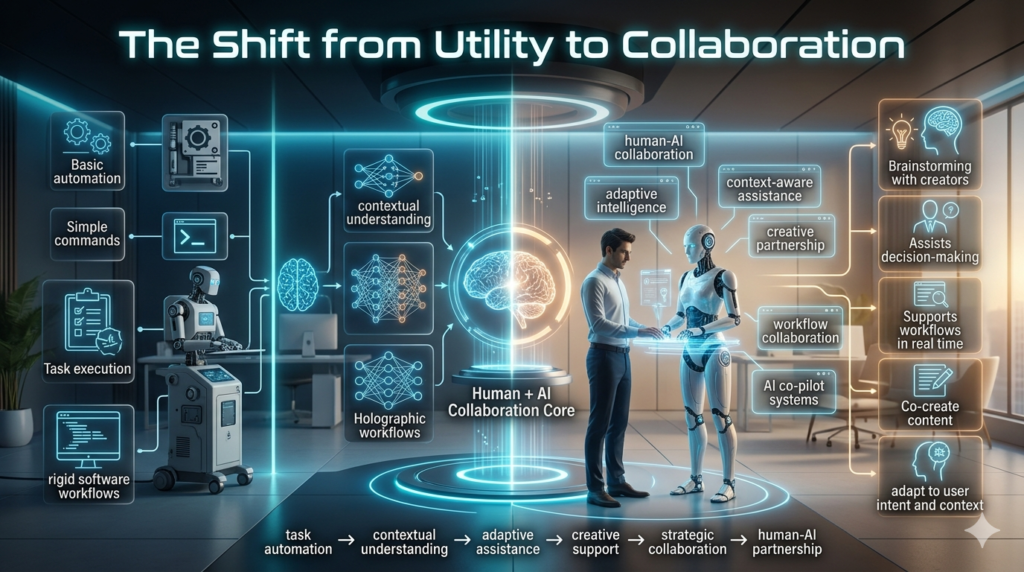
In the early days of digital assistants, our interactions were rudimentary. We asked for the weather, we set timers, and we maybe sent a hands free text message. It was a one way street: input a command, receive a specific output. Today’s assistant apps are different. They act more like a collaborative partner. Whether you are using tools to manage your knowledge base, draft complex emails, or summarize hours of meeting recordings, the interaction has become conversational. You aren’t just using software anymore; you are delegating parts of your workflow.
In my own work, I’ve found that the biggest shift is moving away from the all-or-nothing mentality. Many people jump into these apps expecting them to do 100% of the work. When the result is slightly off, they declare the tool useless. The experts the people who actually thrive using these tools know that the magic happens at the 80/20 mark. Use the assistant to do the heavy lifting of the first 80%, and then apply your human expertise for the final 20% of polish, nuance, and strategy.
Navigating the Current Landscape
If you look at the current market, the options for AI driven assistant apps are overwhelming. Generally, they fall into three distinct categories:
- The Knowledge Synthesizers: These are apps that act as a second brain. They ingest your notes, your PDFs, and your reading list, allowing you to ask questions like, “What were the main takeaways from the project we did last October?” They don’t just search for keywords; they understand the context.
- The Workflow Automator’s: These are the tools that handle the mundane. They can pull data from a spreadsheet, turn it into a report, schedule the necessary meetings, and draft the follow up emails. They are about minimizing context switching that soul crushing habit of hopping between six different apps to complete one task.
- The Creative Catalysts: These are the writing and brainstorming companions. They help overcome the blank page syndrome by offering outlines, suggesting different tones of voice, or acting as a devil’s advocate during a brainstorming session.
The Art of “Delegation,” Not “Automation”
The most significant mistake I see professionals make is treating these assistants like search engines. If you give a vague prompt, you get a vague, robotic result. If you want high-level work, you have to provide high-level context. Think of these apps as a highly capable but literal minded junior assistant. If you tell them, “Write an email to my boss about the project delay,” you’ll get a generic, potentially awkward draft. But if you say, “Write a professional email to my project lead explaining that the delay in the Q3 report is due to missing data from the accounting team, and propose a new deadline for Friday,” you get something actually useful.
In my own experiments, I’ve learned that the best results come from iterative prompting. You start with a request, look at the output, and then refine. Ask it to be more concise. Ask it to include more empathy. Ask it to rewrite the tone to be more authoritative. This process of curation is where your value as a human expert lies. You are the director; the app is the production crew.
The Realities and Responsibilities
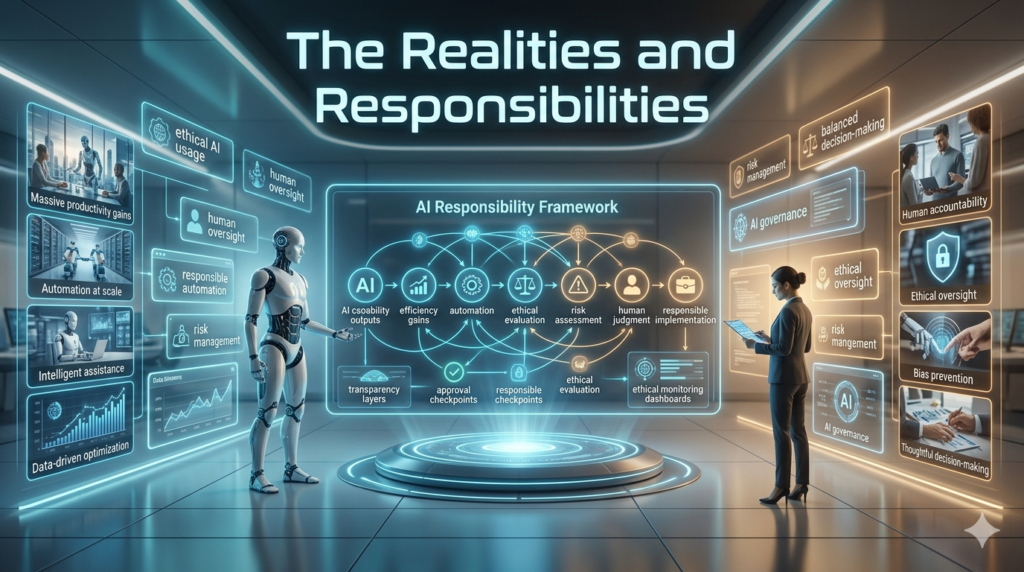
As much as I advocate for integrating these tools into your daily workflow, I would be remiss if I didn’t address the elephant in the room: limitations and ethics.
First, there is the hallucination factor. These systems can be incredibly confident while being entirely wrong. Never, and I mean never, treat the output of an assistant app as a source of truth without verifying it. Whether it is citing a legal case that doesn’t exist or getting a technical calculation slightly skewed, the liability remains yours. Always check the work.
Second, consider data privacy. When you feed your internal company documents, sensitive client data, or personal correspondence into a cloud based assistant, you are sharing that data. I make it a personal rule to scrub any sensitive information names, specific financial figures, proprietary trade secrets before asking an assistant to help with analysis. It is a small extra step, but it provides peace of mind.
Finally, there is the psychological cost of dependency. It is very easy to feel like you are becoming smarter because your output is faster, but there is a danger in letting our own critical thinking skills atrophy. I use these apps to handle the mechanics of work the summarization, the formatting, the scheduling but I never let them handle the strategy of my life or career. Keep the “why” in your own head, and let the app handle the how.
Finding Your Personal Stack
You do not need to use everything. One of the biggest traps in the productivity space is tool fatigue, where you spend more time setting up new apps than actually doing the work. I suggest picking one or two areas where you feel the most friction in your day. Is it email? Is it writing reports? Is it managing research? Pick one assistant app tailored to that specific pain point, use it for 30 days, and master it. If it doesn’t solve the problem, cut it loose.
At the end of the day, these tools are just extensions of our own capabilities. They are, in essence, digital leverage. Used correctly, they give you the one thing we all desperately want more of: time. Time to think, time to plan, and time to be the creative, nuanced humans we were meant to be. The machines can handle the first draft; we must remain the architects of the final result.
FAQs
Q: Do I need to be a tech expert to use AI assistant apps?
A: Not at all. Most of these tools are designed for natural language interaction. If you can type a text message or send an email, you have the skills required to communicate with these assistants.
Q: How do I know which app is right for me?
A: Don’t start by looking for apps; start by looking at your pain points. Identify the one task you dread doing every day (e.g., summarizing meeting notes, drafting repetitive emails). Then, look for a tool that specifically solves that problem.
Q: Are these apps safe to use with sensitive company information?
A: Proceed with extreme caution. Always check the privacy policy of the tool. Many enterprise-grade versions of these apps offer better data privacy (where your data isn’t used to “train” the system), but generally, it is best practice to anonymize sensitive details before inputting them.
Q: Is there a risk that I will lose my unique “voice” in writing?
A: Yes, if you blindly copy and paste the output. Use the tool to generate ideas, structures, or rough drafts, but always rewrite the final version in your own style. Your personality is your professional edge; don’t outsource it.
Q: Will these tools eventually replace my job?
A: They will likely change your job, not replace it. Tasks can be automated; judgment, empathy, strategy, and creative connection cannot. Focus on the human centric skills that machines struggle to replicate.