
I still remember the first time I fed a rough concept description into an AI art generator and watched it return a fully rendered image in under twelve seconds. The composition was striking, but the lighting felt flat, and one of the hands had an extra joint. It wasn’t finished. It wasn’t even close. But it was enough to move a stalled project forward. That moment shifted how I approach visual work. Today, generative AI art isn’t a gimmick or a shortcut for avoiding sketching. It’s a working studio tool, and like any serious instrument, it rewards preparation, iteration, and a clear creative compass.
How Text-to-Image AI Actually Works
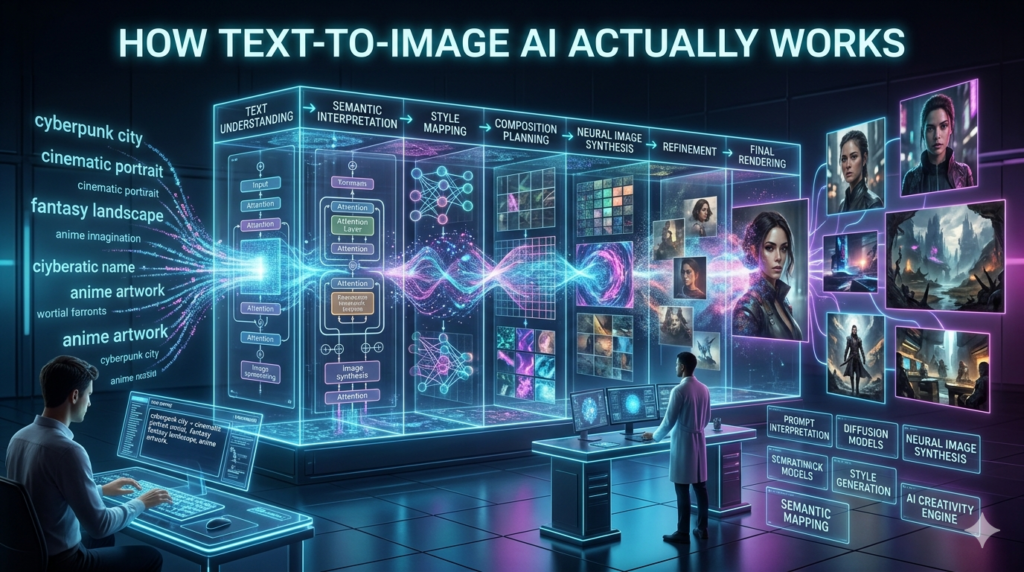
It helps to drop the idea that these programs draw. They don’t. AI image generation relies on diffusion models trained on vast datasets of images paired with descriptive text. During training, the model learns statistical relationships between words and visual features: how volumetric fog correlates with soft light falloff, or how “brutalist architecture” maps to concrete textures and heavy geometric lines. When you submit a prompt, the system starts with random visual noise and gradually denoises it, aligning the emerging image with the textual instructions you provided.
It’s less like an artist making deliberate choices and more like a highly pattern-matching engine assembling familiar visual fragments into something new. That’s why slight wording changes can swing results dramatically, and why the output sometimes carries an uncanny, over-polished sheen. Understanding the mechanics keeps expectations grounded.
The Real Workflow: From Prompt to Polish
In practice, I treat AI art generators as ideation accelerators, not finish lines. My typical process starts with a quick thumbnail or a reference grid. I then draft a prompt that locks down style, medium, lighting, and composition. Instead of fantasy forest, I’ll write editorial botanical illustration, muted sage and ochre palette, diffused window light, flat lay composition, negative space around central subject. The first batch rarely lands perfectly. I cull the strongest elements, adjust keyword emphasis, swap out descriptors, or generate multiple variants.
What looks rough in isolation often shines when composited into Photoshop or Affinity Designer. Sometimes I’ll run the output through a pose-reference extension to correct anatomy. Other times, I’ll use it purely for texture generation or background mood. The value isn’t in the raw generation; it’s in the direction, editing, and intentional assembly that follows.
Navigating the Tool Landscape
Not all AI image generators operate the same way. Midjourney leans heavily into cinematic, painterly aesthetics and thrives in a community-driven environment where prompt sharing and version tracking are baked into the experience. DALL-E 3, tightly integrated into conversational interfaces, handles literal instructions well and has made notable strides in rendering legible text.
Stable Diffusion, available in open-source and commercial variants, offers deeper technical control through local installation or cloud hosts, making it a staple for studios that need data privacy, custom model fine-tuning, or integration into automated pipelines. Then there are niche generators tailored to product mockups, architectural visualization, or comic panel layout. Choosing the right platform comes down to your budget, desired control level, and whether you prioritize ease of use or granular manipulation.
The Copyright and Ethical Reality
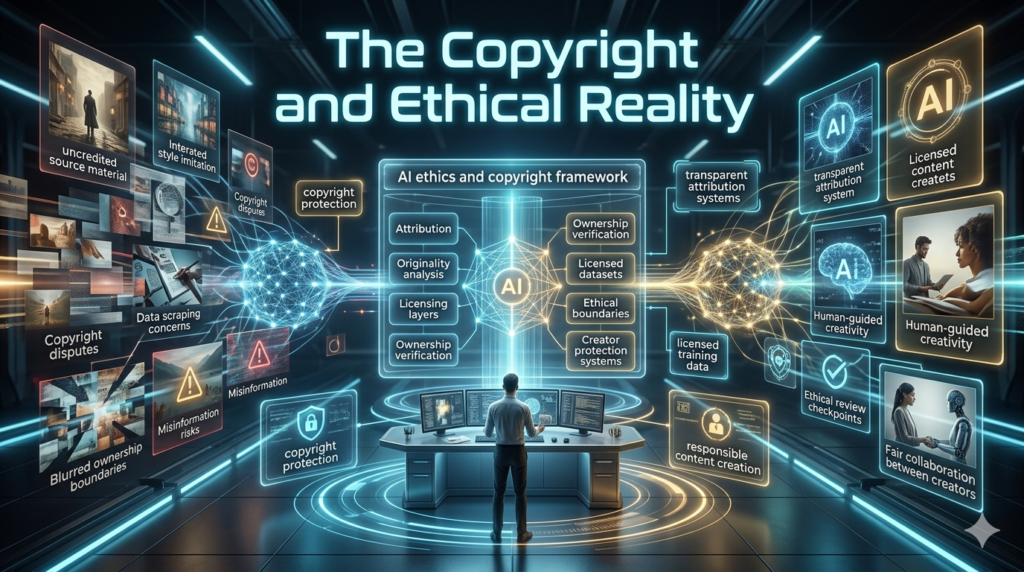
You can’t discuss AI art generators without addressing the legal and ethical friction. Several high profile lawsuits have been filed by photographers, illustrators, and publishing houses whose work was used to train models without explicit consent or compensation. Courts are still deciding whether scraping public images for training qualifies as fair use, and what intellectual property protections, if any, apply to AI-assisted output. In the United States, the Copyright Office has consistently maintained that images created without meaningful human authorship cannot be registered.
That doesn’t render AI art worthless; it just means the framework is evolving faster than the statutes. From an ethical standpoint, I’ve gravitated toward platforms that offer transparent training disclosures, opt out mechanisms, or artist compensation programs. I also avoid prompting for direct style mimicry of living creators, maintain detailed edit logs, and clearly document where human compositing and direction were applied. Trust in this space is built through transparency, not obfuscation.
Where the Technology Still Stumbles
For all the progress, AI art generators have predictable blind spots. They struggle with consistent character design across sequences, frequently misread spatial depth, and default to visual shortcuts when prompts lack specificity. Subtle emotional nuance often gets flattened, and complex brand guidelines require heavy manual override. More importantly, these tools don’t contextualize.
They can’t absorb a client’s unspoken brand tone, pivot mid conversation based on feedback, or understand why a certain color choice matters culturally. That’s why the strongest projects still hinge on human art direction, strategic editing, and post-production polish. The algorithm generates possibilities; the designer makes decisions.
Looking Ahead
AI image generation will keep tightening into standard creative pipelines. We’ll see deeper integrations with design software, smarter asset versioning, and better alignment with proprietary style guides. But the core dynamic won’t change: technology amplifies intention. If you approach AI art generators as collaborative accelerators rather than replacements, they expand your visual vocabulary, compress tedious exploration phases, and free up time for strategy, storytelling, and emotional craft.
The models will keep improving. Your taste, editing discipline, and creative judgment will remain what separates a passable image from a compelling one.
FAQs
Q: What is an AI art generator?
A: An AI art generator is a text-to-image tool that uses machine learning models to create visual artwork from written descriptions, relying on pattern recognition rather than traditional drawing techniques.
Q: Are AI-generated images copyrighted?
A: In most jurisdictions, purely AI-generated images lack human authorship and cannot be registered for copyright. Significant manual editing or compositional direction may shift that status, but legal guidance is still evolving.
Q: Do AI art tools steal from artists?
A: Training datasets often include publicly available images without direct permission or compensation, which has sparked ongoing lawsuits. Ethical platforms are introducing opt-out systems, transparency reports, and revenue sharing models to address these concerns.
Q: Can AI replace professional designers?
A: Not yet. AI handles rapid ideation and technical execution well, but it struggles with consistent branding, emotional nuance, and strategic client alignment. Human direction remains essential for polished, purposeful outcomes.
Q: Which AI art generator should I start with?
A: Beginners often find DALL-E 3 or Mid journey easiest to navigate, while users needing custom workflows, privacy, or advanced control typically prefer Stable Diffusion-based platforms.
Q: How do I improve AI art outputs?
A: Treat prompts like briefs: specify style, lighting, composition, and medium. Generate multiple variations, composite the strongest elements manually, and refine results in standard design software for consistent, professional grade work.