
I’ve been writing professionally for over a decade, and I’ve watched the tools change more in the last three years than in the previous ten combined. When ChatGPT first showed up in late 2026, half my freelance group panicked and the other half pretended it didn’t exist. Now, in 2026, almost every working writer I know uses some kind of AI writing tool even the ones who swore they wouldn’t.
The conversation has shifted from “is this cheating?” to “how do I use this without losing my voice?” So let me share what I’ve actually learned from using these tools daily, what they’re genuinely good at, and where they still fall flat.
What AI Writing Tools Really Are
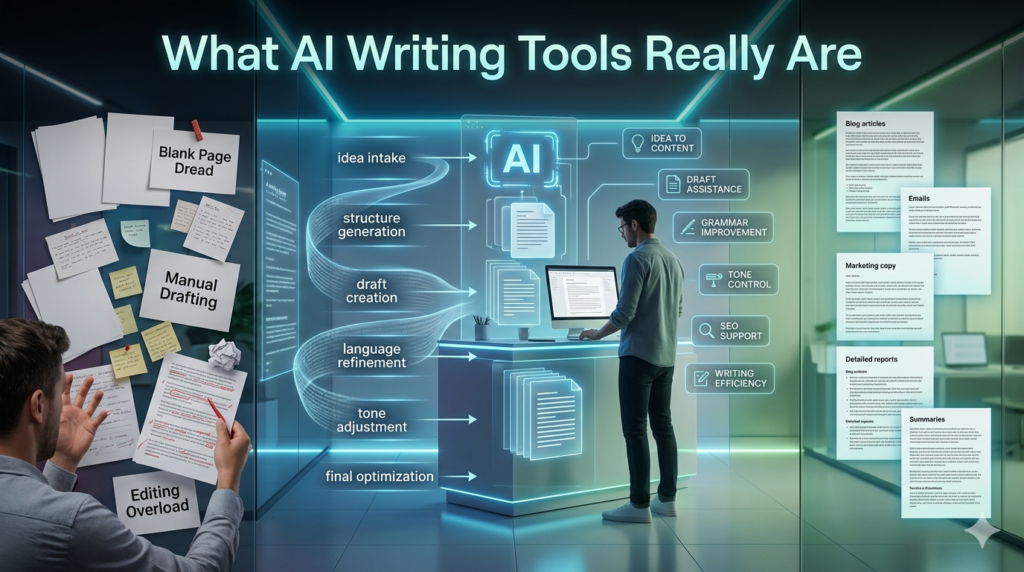
Strip away the marketing and an AI writing tool is essentially a large language model wrapped in a friendly interface. Some are general-purpose ChatGPT, Claude, Gemini, Copilot. Others are built for specific jobs: Jasper and Copy.ai lean into marketing copy, Grammarly and Pro Writing Aid focus on editing, Sudor write is built for fiction, and Surfer SEO blends writing with search optimization.
They all predict the next likely word based on patterns from massive amounts of text. That sounds simple, but the result can feel uncannily fluent. The catch is that fluency isn’t the same as accuracy, originality, or insight and that gap is where most people get into trouble.
Where They Genuinely Help
I’ll be honest: I use these tools every working day. Here’s where they pull their weight.
Beating the blank page. When I’m staring at a blinking cursor, asking an AI to give me five rough angles on a topic gets the wheels turning. I almost never use the angles directly, but they shake something loose.
Restructuring messy drafts. When I’ve written 1,500 words and the structure is muddled, pasting it in and asking for a clearer outline saves me an hour of staring at it.
Editing for clarity. Grammarly and similar tools catch the embarrassing stuff repeated words, clunky phrasing, the comma I always miss. Pro Writing Aid goes deeper into rhythm and pacing, which I appreciate as someone who writes long pieces.
Research summaries. For dense reports or long PDFs, AI tools can give me a fast overview so I know where to dig deeper. Note: I still verify the facts. Always.
Repetitive copy work. Product descriptions, meta descriptions, social posts pulled from a longer article this kind of work used to drain my energy. Now it takes minutes.
A small case in point: a client of mine, a small e-commerce brand selling skincare, had to write 80 product descriptions in a week. Using a combination of Jasper for first drafts and a human editor (me) for tone and accuracy, we finished in three days. The drafts were maybe 60% there, but that 60% was the tedious part.
Where They Fall Apart
Now the unflattering truth.
Hallucinations are real. AI tools confidently invent statistics, sources, quotes, and even people. I once had Claude attribute a quote to a famous author who had never said it. If you’re writing anything with citations, fact-check every single claim. No exceptions.
Voice gets sanded down. Default AI writing has a flavor — vaguely enthusiastic, slightly hedging, fond of phrases like “in today’s fast-paced world.” Editors can spot it from a mile away. So can readers, increasingly.
Nuance and lived experience are missing. An AI can describe what it’s like to lose a parent or run a marathon, but the description will be generic. The texture of real life the specific, weird, embarrassing details has to come from a human.
SEO can backfire. Tools like Surfer and Frase are useful, but if you follow their suggestions slavishly, you end up with the same forgettable article every competitor is also publishing. Google’s helpful content updates have been quietly punishing this kind of writing.
How I Actually Use Them in My Workflow
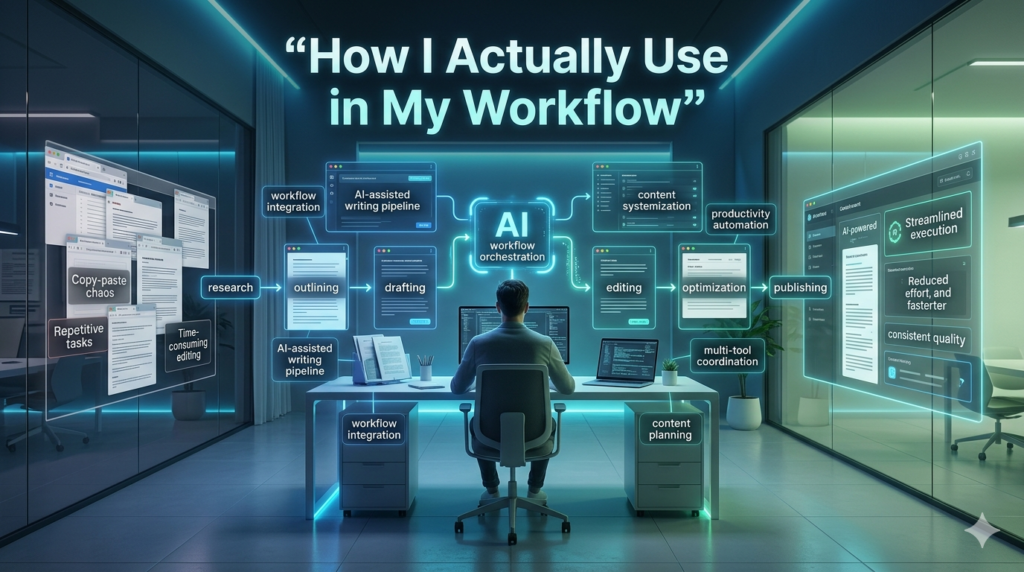
My rough process, for what it’s worth:
- I think about the topic first, on paper, before opening any tool. This protects my actual perspective.
- I draft in my own voice, even if it’s rough.
- I might use AI to suggest a stronger intro or to compress a bloated section.
- I run the final piece through Grammarly for cleanup.
- I read it aloud. If it sounds like a brochure, I rewrite.
The tools serve the writing. Not the other way around.
The Ethics Nobody Wants to Discuss
A few things worth being honest about. These models were trained on writing scraped from the internet, often without consent. That’s a real ethical issue, and pretending it isn’t doesn’t make it go away. Some platforms now offer opt-outs and licensed training data Adobe’s approach with Firefly is one example but the industry is messy.
Also, if you’re publishing AI-generated content without disclosure in journalism, academic work, or anywhere trust matters, that’s a problem. Readers deserve to know who or what wrote the thing they’re reading.
Choosing the Right Tool
There’s no single best AI writing tool. It depends on what you do.
- Long-form articles and reasoning: Claude or ChatGPT.
- Marketing copy at scale: Jasper, Copy.ai, Writesonic.
- Editing and grammar: Grammarly, ProWritingAid.
- Fiction: Sudowrite.
- SEO content: Surfer, Frase, NeuronWriter.
- Quick everyday tasks: whatever’s built into your browser or OS now.
Try a few. Most have free tiers. The right one is the one that fits how you already think.
Final Thought
AI writing tools aren’t going to replace good writers, but they are absolutely replacing lazy writing. The bar for what counts as decent content has gone up because the floor generic, average, unoriginal text can now be produced in seconds by anyone. If your writing doesn’t bring something a machine can’t, it’ll get drowned out. Use the tools. Just don’t let them use you.
FAQs
Q: Are AI writing tools free?
A: Most offer free tiers with limits. Premium plans usually run $10–$50 a month.
Q: Will AI replace writers?
A: Not skilled ones. It’s replacing low-effort, formulaic writing.
Q: Does Google penalize AI content?
A: Google penalizes unhelpful content, regardless of source. Quality and originality matter more than how it was written.
Q: Which AI tool is best for beginners?
A: ChatGPT’s free version is the easiest starting point.
Q: Can AI tools plagiarize?
A: They can unintentionally produce text similar to training data. Always run important work through a plagiarism checker.
Q: Should I disclose AI use?
A: Yes, especially in journalism, academia, or any context where authorship matters.