
I’ve spent the last two years treating AI apps like a full-time job. Not because I’m a gadget reviewer chasing every launch, but because they’ve quietly taken over how I run my writing business, manage client projects, brainstorm ideas, and even handle personal admin. What started as curiosity after ChatGPT’s explosive arrival has become a daily reality: my workflow now depends on a handful of these tools.
This isn’t another listicle. This is an honest, hands on AI apps review from someone who’s paid real money, hit real deadlines, and felt real frustration with tools that overpromise. I’ve tested more than 40 applications across writing, research, design, coding, audio, and productivity. Here’s what’s actually worth your time and subscription dollars in late 2026.
The Standouts: Tools I Use Weekly
Claude 3.5 Sonnet (via claude.ai and the mobile app)
If I could only keep one AI tool, this would be it. The October 2024 update made it noticeably sharper than GPT-4o in long context reasoning and creative writing. I’ve used it to outline complex 5,000-word articles, debug messy client strategies, and even role play difficult conversations. The Artifacts feature where it builds editable documents, diagrams, or code in a separate window feels like genuine progress.
What surprised me most is how good the mobile experience became. I dictate voice notes while walking my dog and come back to coherent, well structured notes. The only real limitation is its occasional excessive caution with creative content.
Perplexity Pro
This is my default research tool. Unlike ChatGPT, which will happily hallucinate sources, Perplexity actually searches the web in real time and cites everything. I use it for market research, competitive analysis, and fact-checking. The new “Deep Research” reports (which can run for 10–15 minutes) have replaced hours of manual Googling for several client projects this year. The $20/month Pro tier is easily one of the highest ROI subscriptions I pay for.
Notion AI
People underestimate this one because it lives inside Notion. I’ve been a Notion user since 2020, and the AI features have turned it from a note taking app into my central operating system. I can highlight messy meeting notes and say turn this into action items, a client email, and a content calendar, and it actually delivers usable output.
The ability to create custom AI agents inside your workspace (using their new AI Studio) is genuinely powerful for recurring tasks.
Mid journey V6.1 and Flux.1 Pro
Visual generation has matured significantly. Midjourney remains the king for artistic, cinematic work, while Flux (available through several platforms including Fal.ai and the new Grok integration) produces the most realistic human hands and text I’ve seen yet.
I recently completed an entire brand refresh for a client using only AI-generated mockups before handing final files to a traditional designer. The designer was impressed rather than threatened a sign that the tools are maturing.
Cursor
This AI code editor (built on VS Code) might be the most impressive productivity leap I’ve experienced since discovering the iPhone. It understands entire codebases and can refactor large sections intelligently. I’m not a professional developer, but I’ve built functional internal tools and automated workflows that would have taken me weeks to learn properly. The fact that it uses Claude 3.5 Sonnet by default is a big reason for its quality.
The Solid but Overhyped Category
ChatGPT (Plus and Teams)
Still excellent. The voice mode on mobile is remarkably natural and I use it constantly for thinking out loud. Custom GPTs were exciting but many of the best ones are now available as standalone apps with better focus. GPT-4o is very fast, but it’s no longer clearly leading the pack in reasoning.
Grammarly
The AI features have improved dramatically, but I find myself using it more as a final polish tool than a creative partner. It’s excellent at maintaining brand voice across large organizations, though.
Descript
The “Overdub” feature (text-to-speech that sounds like you) still feels like magic for fixing podcast mistakes. The new AI eye contact and filler word removal tools make video editing shockingly fast. However, the transcription accuracy still struggles with heavy accents or noisy environments.
What’s Disappointing Me in 2024
The biggest issue across the AI app landscape is subscription fatigue. Many tools are essentially wrappers around the same foundation models with slightly different interfaces. I’ve canceled more subscriptions this year than I’ve kept. Several hyped AI agents have also underdelivered. The dream of fully autonomous agents that can handle complex multi-step projects remains mostly marketing speak.
We’re closer than we were in 2023, but we’re not there yet. Privacy concerns are also real. I’ve become much more careful about what information I feed into these tools, especially client data. The more useful an app becomes, the more sensitive information you’re tempted to share.
How to Choose AI Apps Without Wasting Money
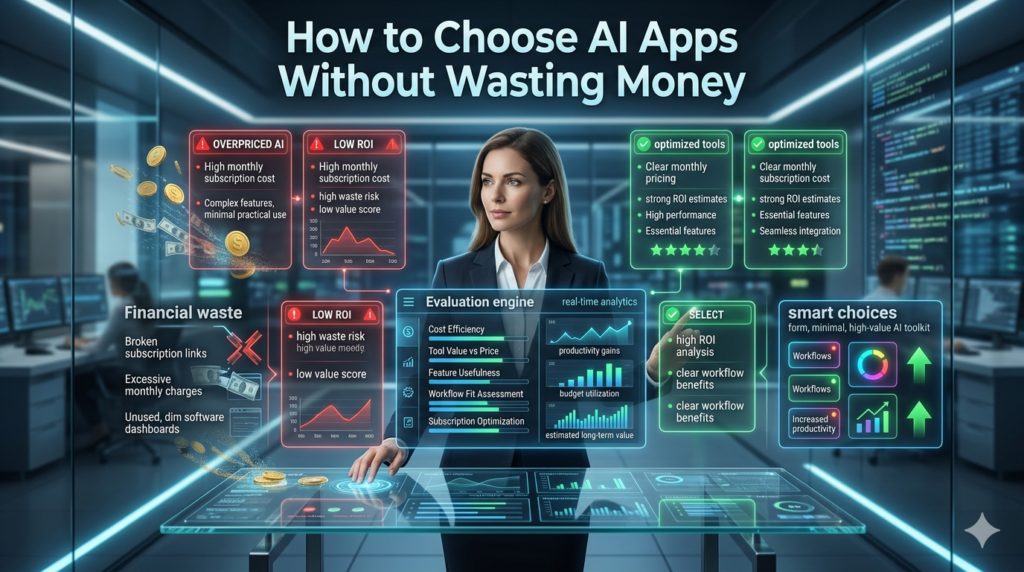
After burning cash on mediocre tools, here’s my practical framework:
- Start with your highest-friction task: the thing that consistently wastes your time or energy.
- Demand integration: the best AI apps disappear into your existing workflow rather than forcing you into another app.
- Test ruthlessly for one week: most tools show their true colors after the honeymoon period.
- Calculate time saved vs. cost: if it doesn’t save at least 4-5 hours per month, it needs to be exceptional in another way.
The Bigger Picture
The most profound change isn’t any single app it’s the fundamental shift in how we think about capability. Tasks that used to require specialists can now be done at good enough quality by skilled generalists with the right AI tools. This creates enormous opportunity but also real anxiety for many professionals. I’ve personally become a much better strategist and writer because the mechanical parts of the work (research synthesis, first drafts, basic design) are handled faster.
The AI handles volume. I handle taste, judgment, and client relationships. That balance feels sustainable for now. The apps that will win long-term aren’t necessarily the ones with the smartest models. They’re the ones that best understand specific workflows and reduce friction without creating new problems around trust, verification, and dependency.
Final Takeaway
The best AI app is the one you forget you’re using because it’s so integrated into how you work. Right now, my personal stack Claude, Perplexity, Notion AI, Cursor, and Mid journey delivers roughly 10-15 hours of reclaimed time per week. That’s life-changing when you run your own business.
The tools will keep getting better. The real question is whether we’ll use that saved time to do more meaningful work or simply raise our standards for what “good” looks like.
What is the single best AI app right now?
Claude 3.5 Sonnet. It offers the best balance of intelligence, context window, speed, and thoughtful responses for most knowledge work.
FAQs
Q: Are AI apps worth the subscription cost?
A: For heavy users, yes. If you’re saving 4+ meaningful hours per month, most $20 tools pay for themselves quickly. Casual users should stick to free tiers.
Q: Which AI apps are safest for sensitive business data?
A: Claude’s enterprise version, Perplexity (with data controls enabled), and self-hosted models offer better privacy. Never put highly confidential information into consumer versions.
Q: Will AI apps replace jobs?
A: They’re replacing tasks, not entire jobs at least not yet. Professionals who master these tools are becoming significantly more productive than those who don’t.
Q: What’s the biggest mistake people make with AI apps?
A: Treating them as magic rather than collaborators. The best results come from people who give excellent instructions and know how to edit, verify, and direct the output.
Q: Are AI image generators good enough for professional work yet?
A: In many cases, yes especially for conceptual work, social media, presentations, and mockups. Print advertising and brand photography still benefit from human photographers and art directors.